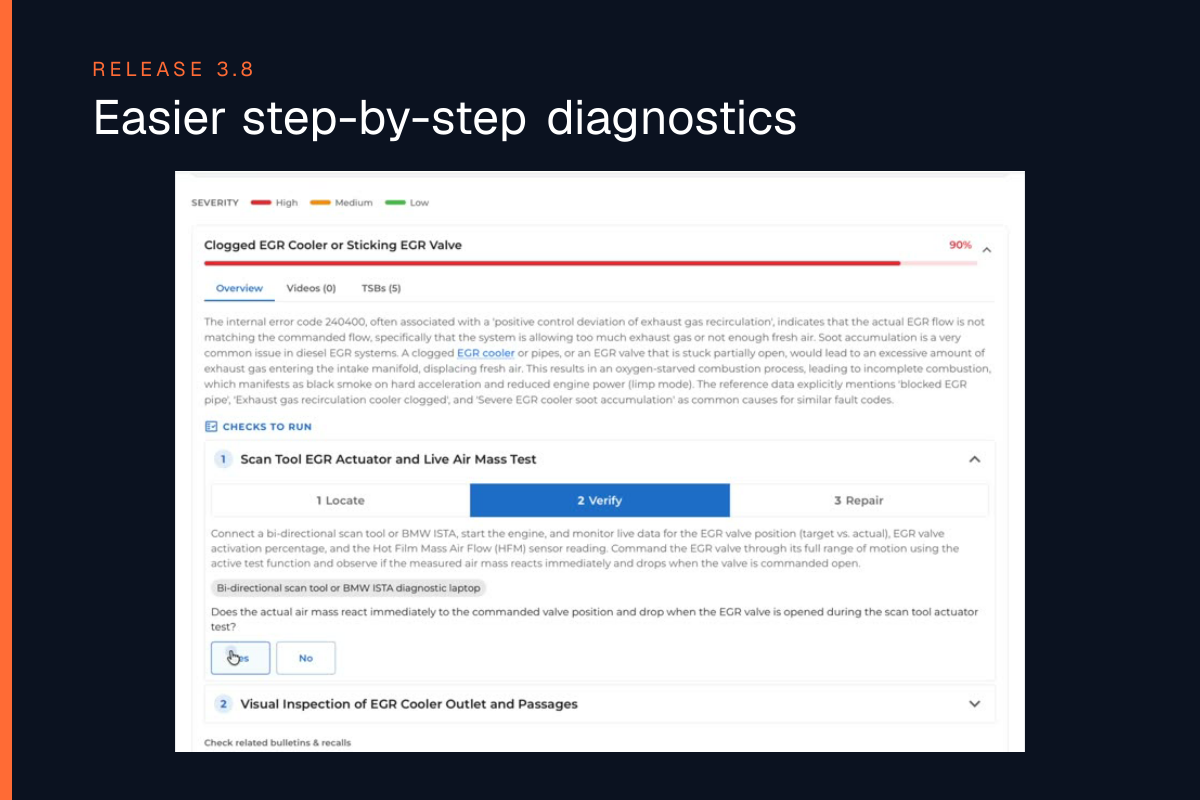
Step-by-step checks for every possible cause
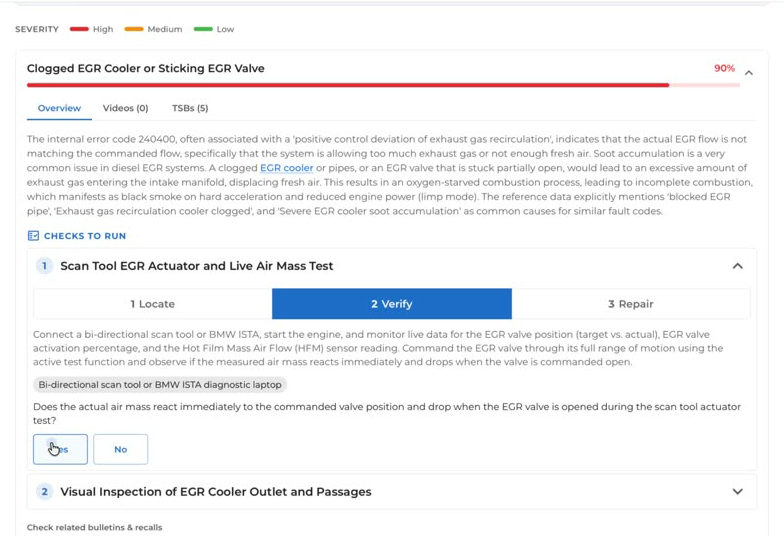
You can now open a possible cause and see what to check, where to check it, what tool to use and what result to expect.
And it’s not only for electronic causes, it works across all types of possible causes.
As you complete the checks, WrenchLane remembers your answers for that vehicle, so you can continue the diagnosis without repeating work you have already done.
OEM bulletins and recalls shown first
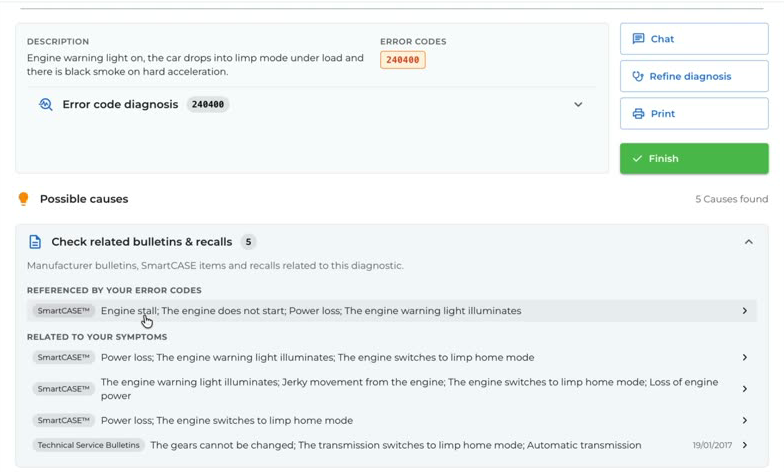
If the vehicle manufacturer has already documented the problem, you’ll now see it first.
Matching OEM bulletins and recalls are shown at the top of the Possible Causes list, including the symptoms, fault codes they cover, the cause and the official fix.
OEM bulletins, recalls and technical data are provided by Infopro in supported European markets.
Search now takes you directly to the answer
Searching technical data is now quicker.
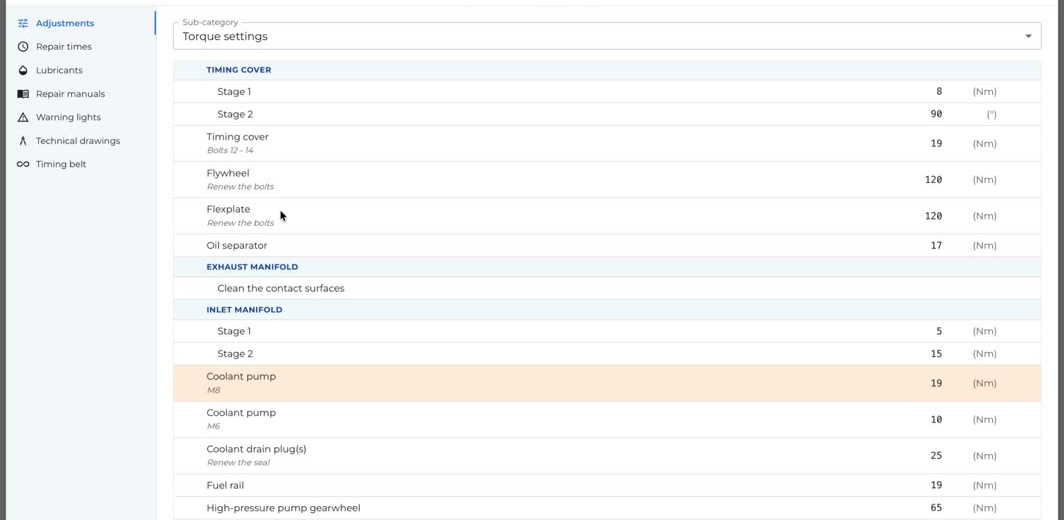
Search for a component, torque value or fluid and WrenchLane takes you directly to the relevant information and highlights it, instead of just opening the page where the information is located.
For example, search for coolant pump and go straight to the correct torque value instead of searching through the whole page.
Faster fault code lookups
Fault code descriptions now load faster when you enter a DTC.
See WrenchLane 3.8 in action
Watch the short demo below.