
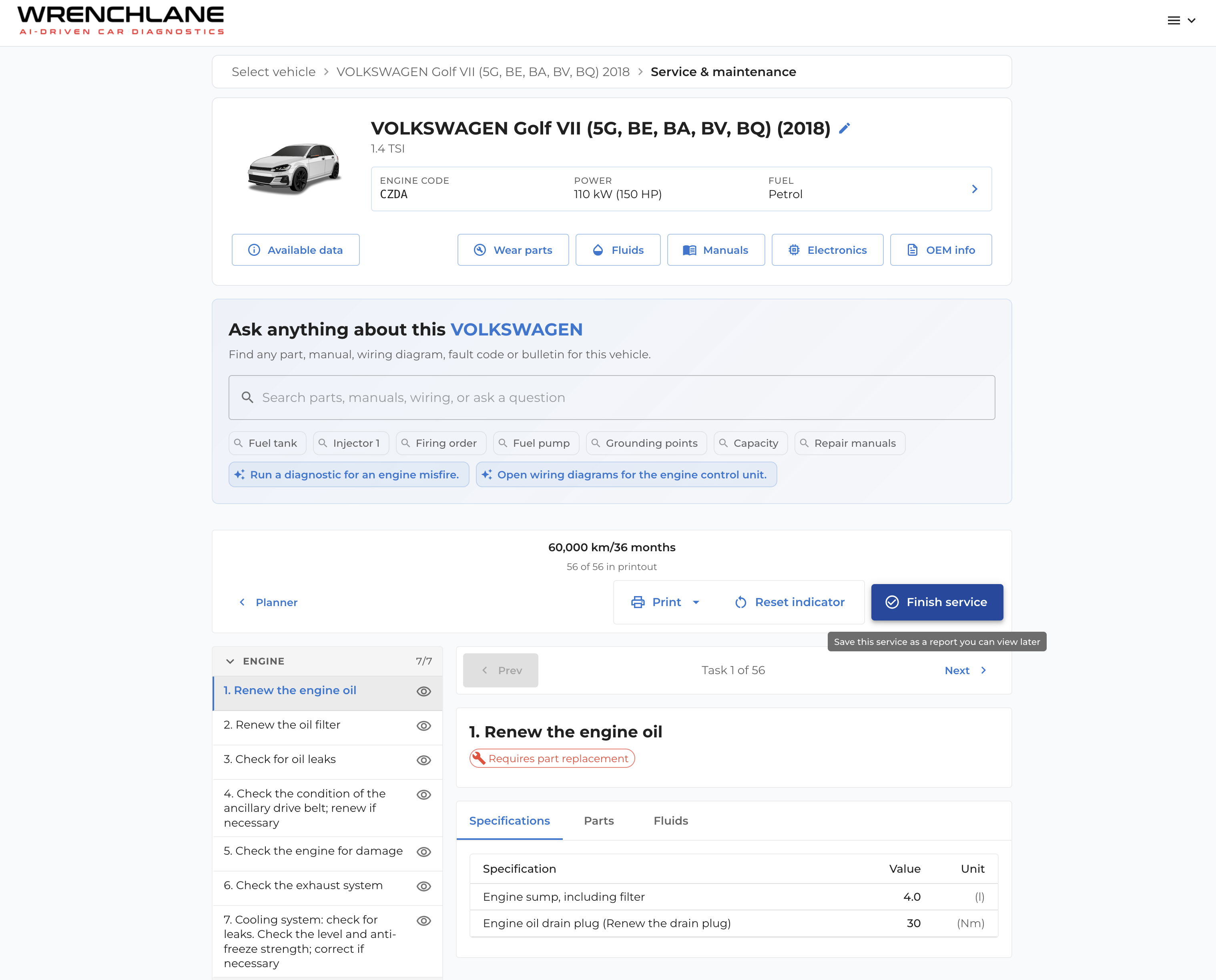
Every service you finish, saved as a report
WrenchLane now keeps your service history — plus wiring diagrams with a tap-to-locate legend and electronics matched to your exact vehicle.
The biggest change in this release is service reports. When you finish a service in WrenchLane, you can now save it as a report — leave out the lines you didn’t perform, and the report keeps exactly what was done on that vehicle.

Saved reports stay with the vehicle. Reopen or edit any of them later, straight from the vehicle page — the full service history is always one tap away.

And they’re all in your garage history too — every saved report sits right alongside your diagnostics.

Wiring diagrams you can navigate
Every wiring diagram now comes with a component legend. Tap a component in the legend to locate it on the diagram — or tap a part on the diagram to see what it is in the legend. No more tracing lines by eye.

Only the electronics that match your vehicle
Electronics system lists are now filtered to your vehicle’s model year, body style and steering side — variants that don’t apply are tucked away behind “Show all variants”. What you see is what fits.
See it in action