
Tag
#release-notes
18 articles
-
 Product Updates
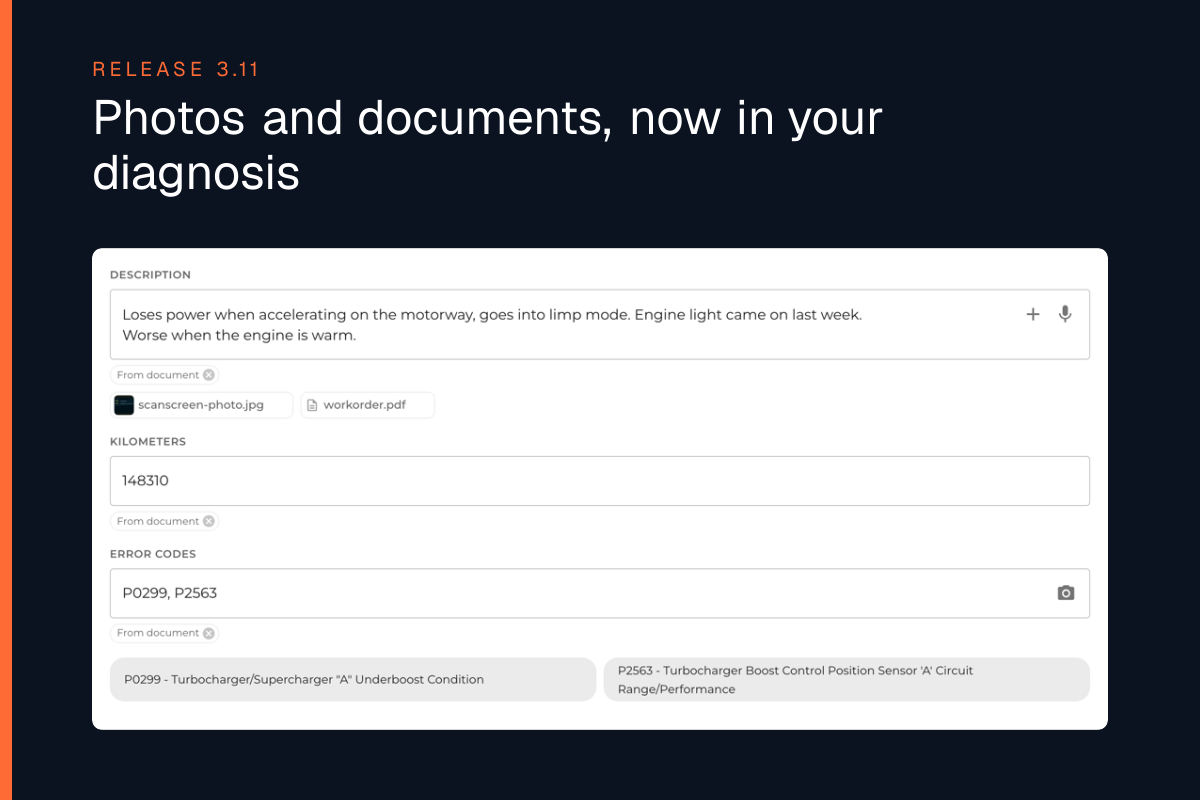
Photos and documents, now in your diagnosis - Release 3.11
WrenchLane 3.11 is now available. Attach documents and photos to a diagnosis or the vehicle chat, see matching service bulletins in the possible causes, and add up to 11 users on the Small plan.
-
 Product Updates
Remote programming, now in WrenchLane - Release 3.10
WrenchLane 3.10 brings remote coding and programming through our new partner AutoRemote, a guided tour for new users, and labor times the way your workshop counts them.
-
 Product Updates
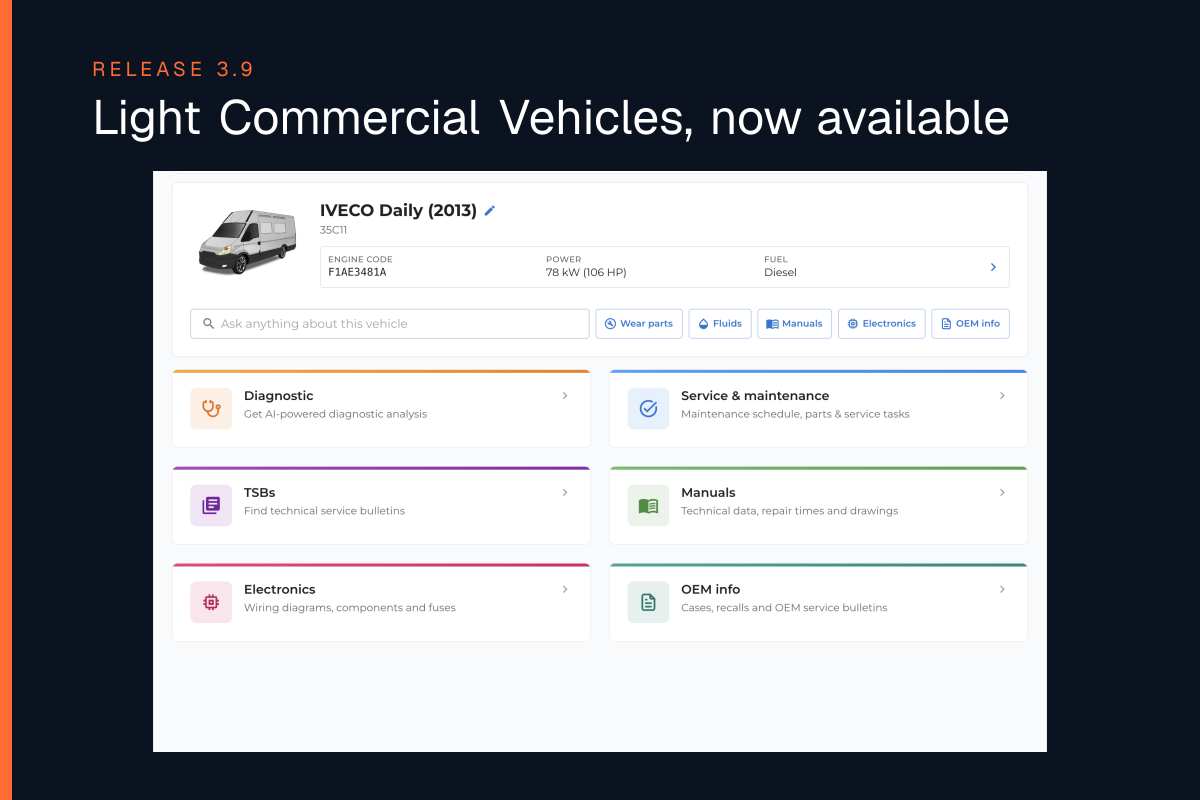
Light Commercial Vehicles, now available - Release 3.9
WrenchLane 3.9 now available with Light Commercial Vehicles and Vans: find them, look them up and diagnose them exactly like a car.
-
 Product Updates
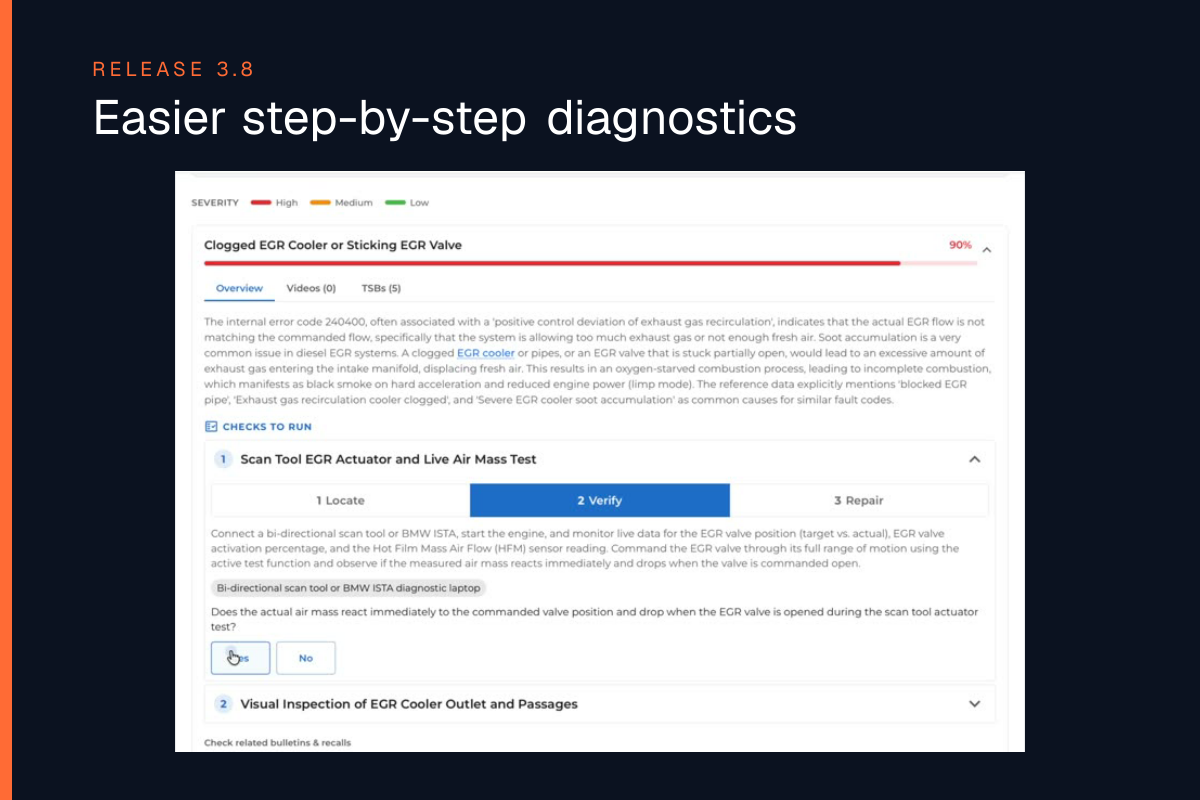
WrenchLane 3.8 - easier step-by-step diagnostics
Step-by-step checks for every possible cause, OEM bulletins and recalls shown first, and search that takes you directly to the answer.
-
 Product Updates
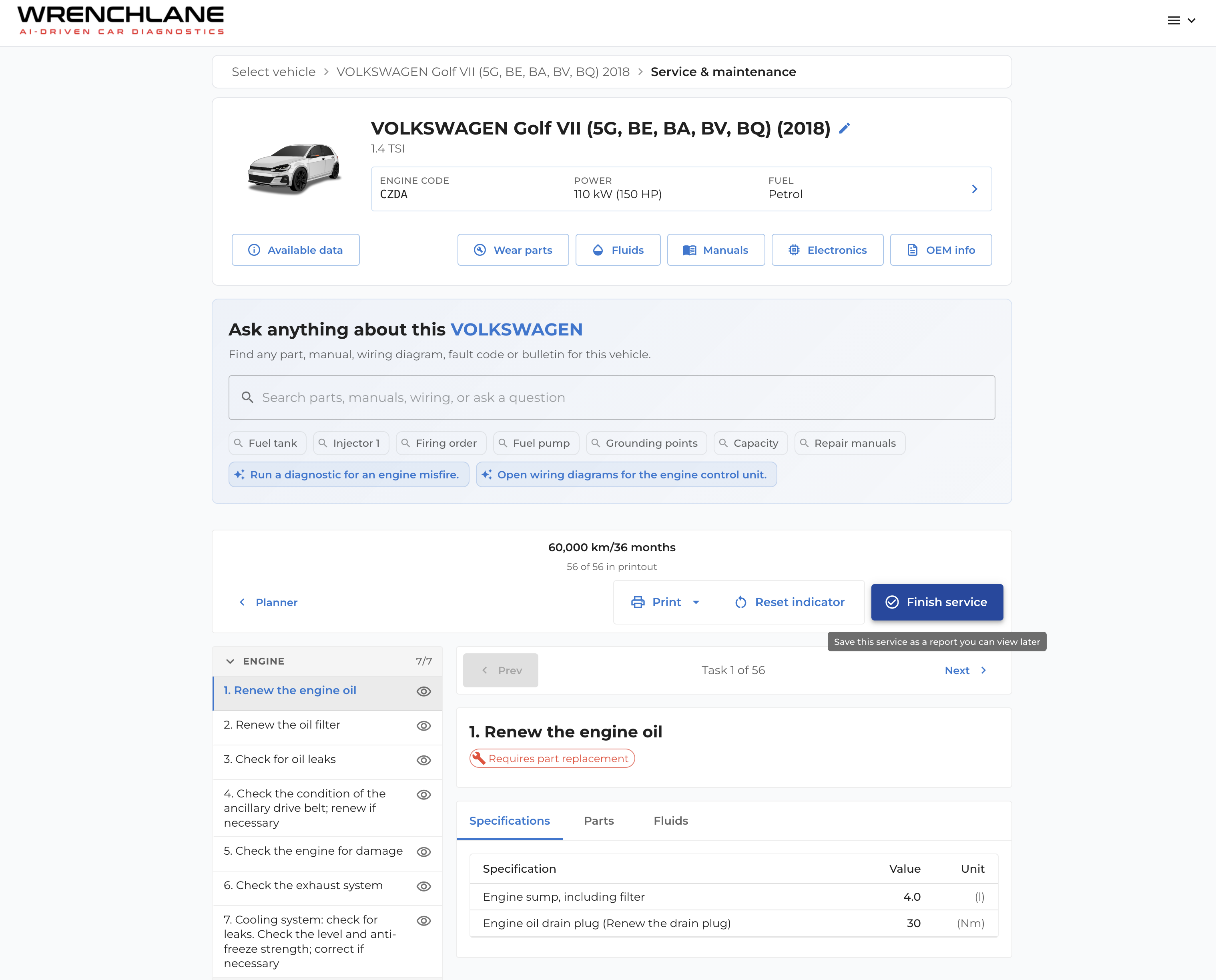
Finish a service and save it as a report, locate any component on the wiring diagram, and see only the electronics that match your vehicle - Release 3.5
WrenchLane now keeps your service history — plus wiring diagrams with a tap-to-locate legend and electronics matched to your exact vehicle.
-
 Product Updates
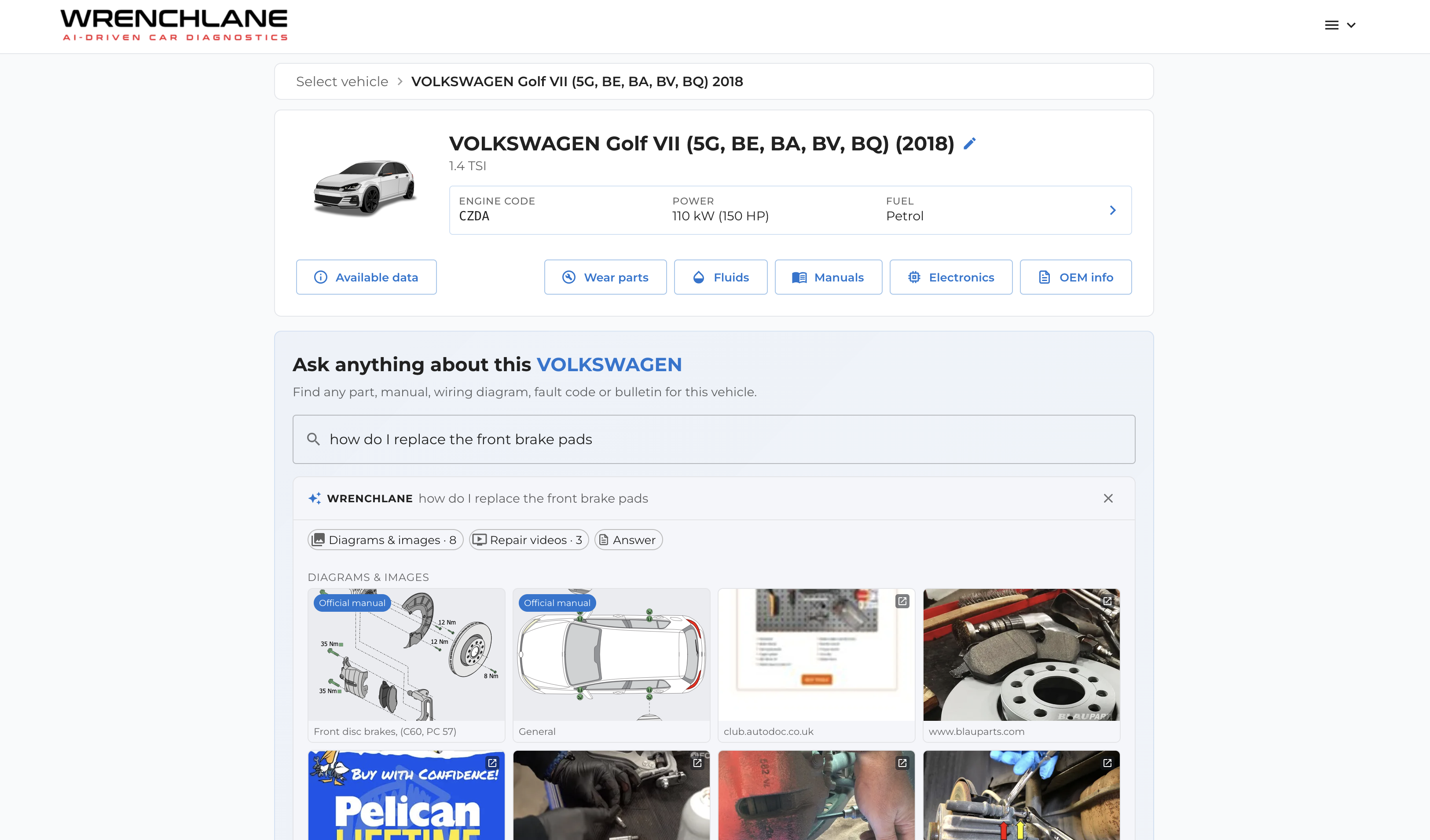
Ask WrenchLane now brings diagrams, images & videos - Release 3.4
Ask WrenchLane now brings diagrams, images & videosOfficial manual diagrams and images matched to the exact vehicle, plus repair-guide videos — and a sharper search in every language.
-
 Product Updates
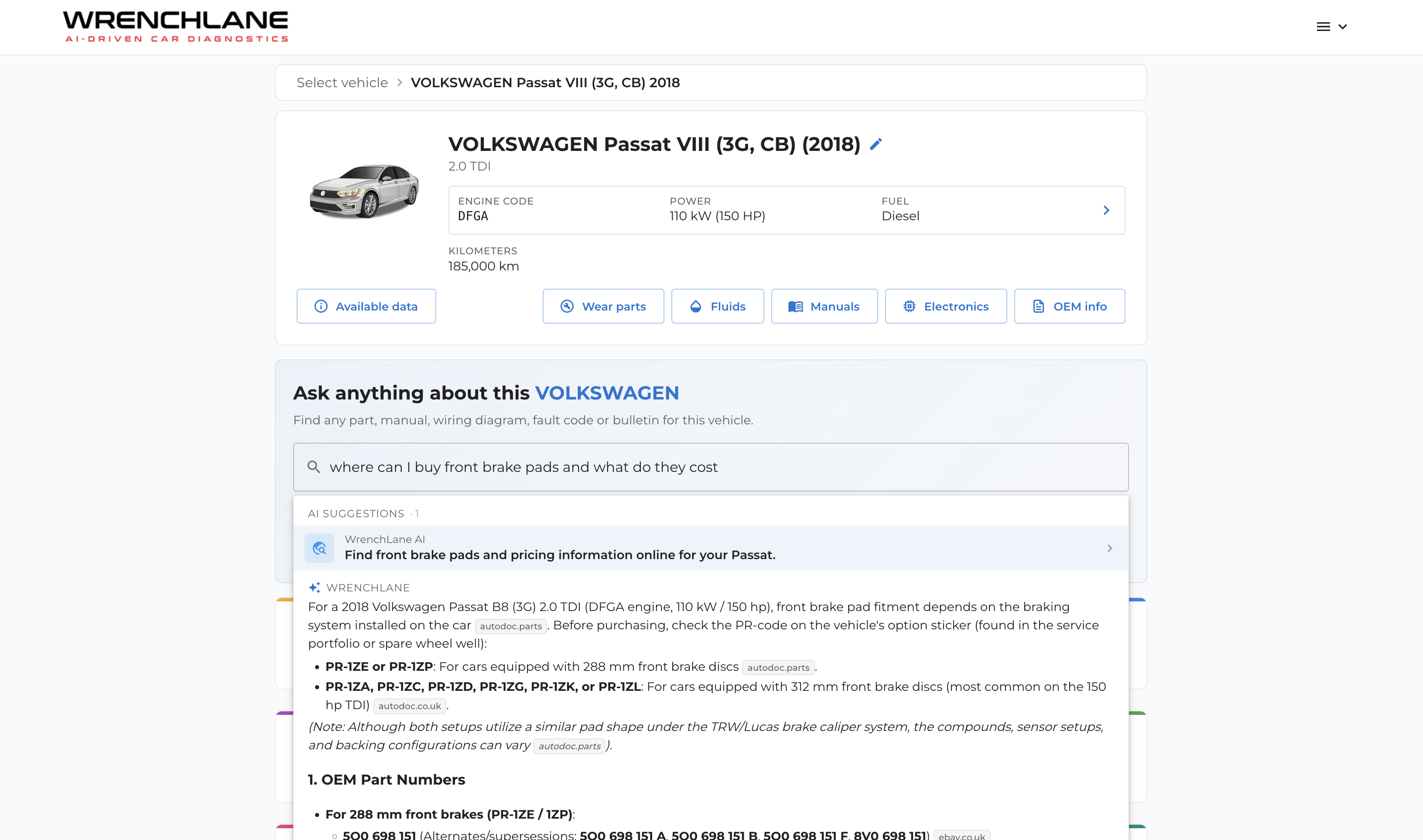
Introducing Ask WrenchLane
Ask WrenchLane — a new way to get answers that go beyond the built-in vehicle data. Ask a question in plain language and WrenchLane finds part numbers, suppliers, prices and procedures for the exact vehicle you're working on, and backs every answer with a source you can open and check.
-
 Product Updates
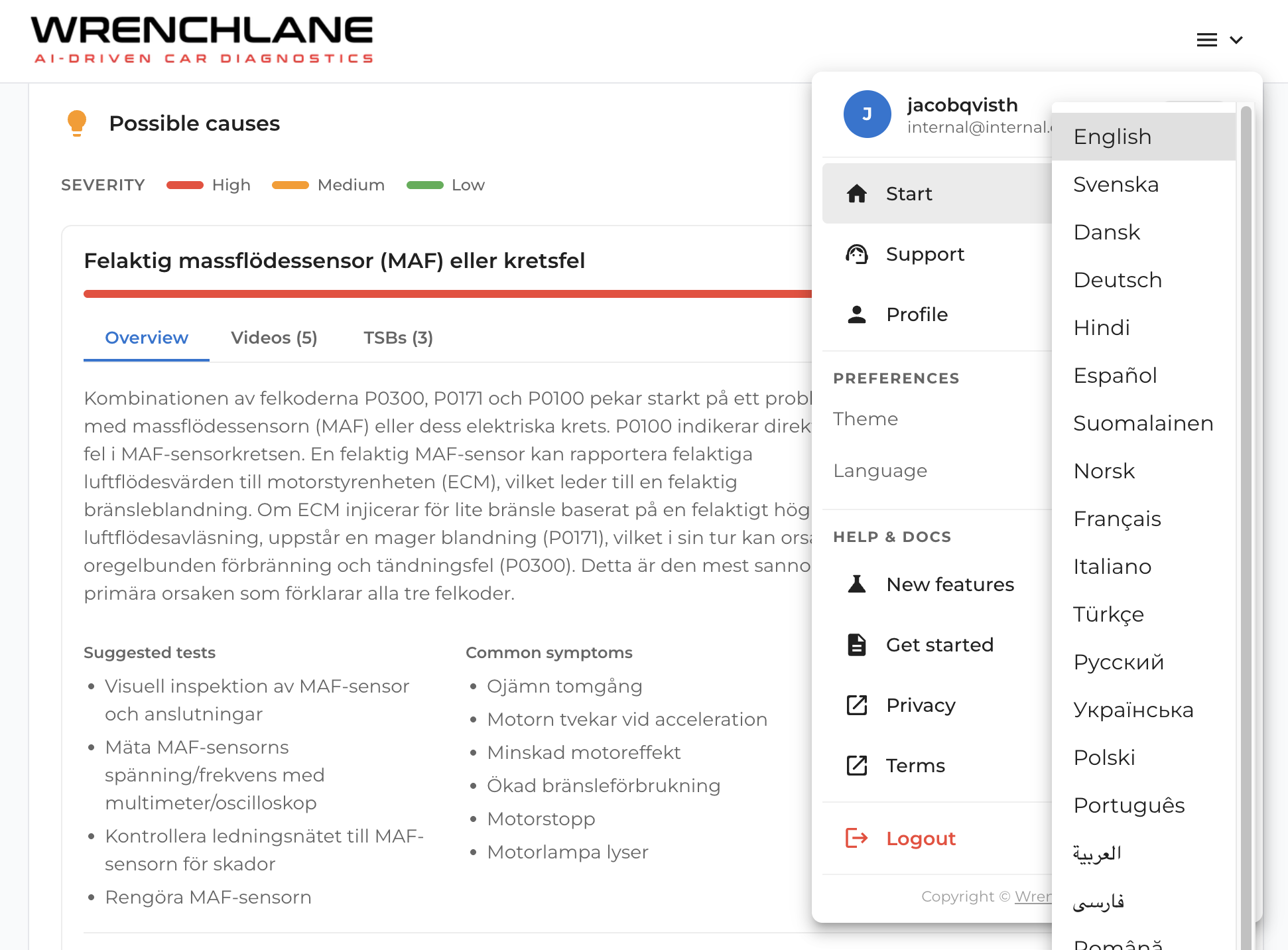
WrenchLane now works in 26 languages
WrenchLane now runs in 26 languages across the whole app — diagnostics, possible causes, repair data, and chat. Every tech can work in the language they think in.
-
 Product Updates
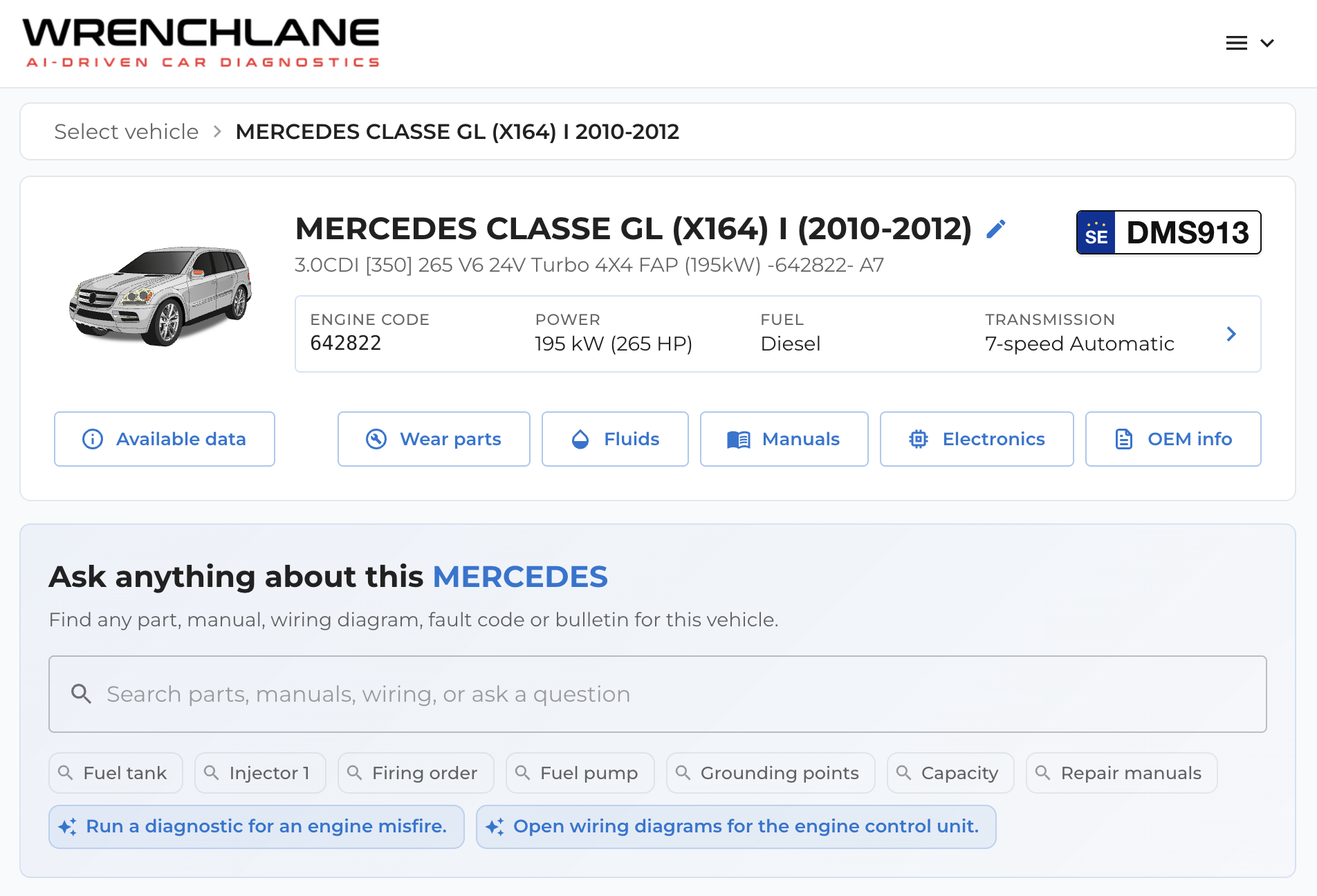
WrenchLane 3.2 – Fast Search and PDF Export
Fast Search and PDF ExportFind the right vehicle information faster and save reports as PDF throughout the app.
-
 Product Updates
Electronics – wiring diagrams and guided measurements directly in the vehicle
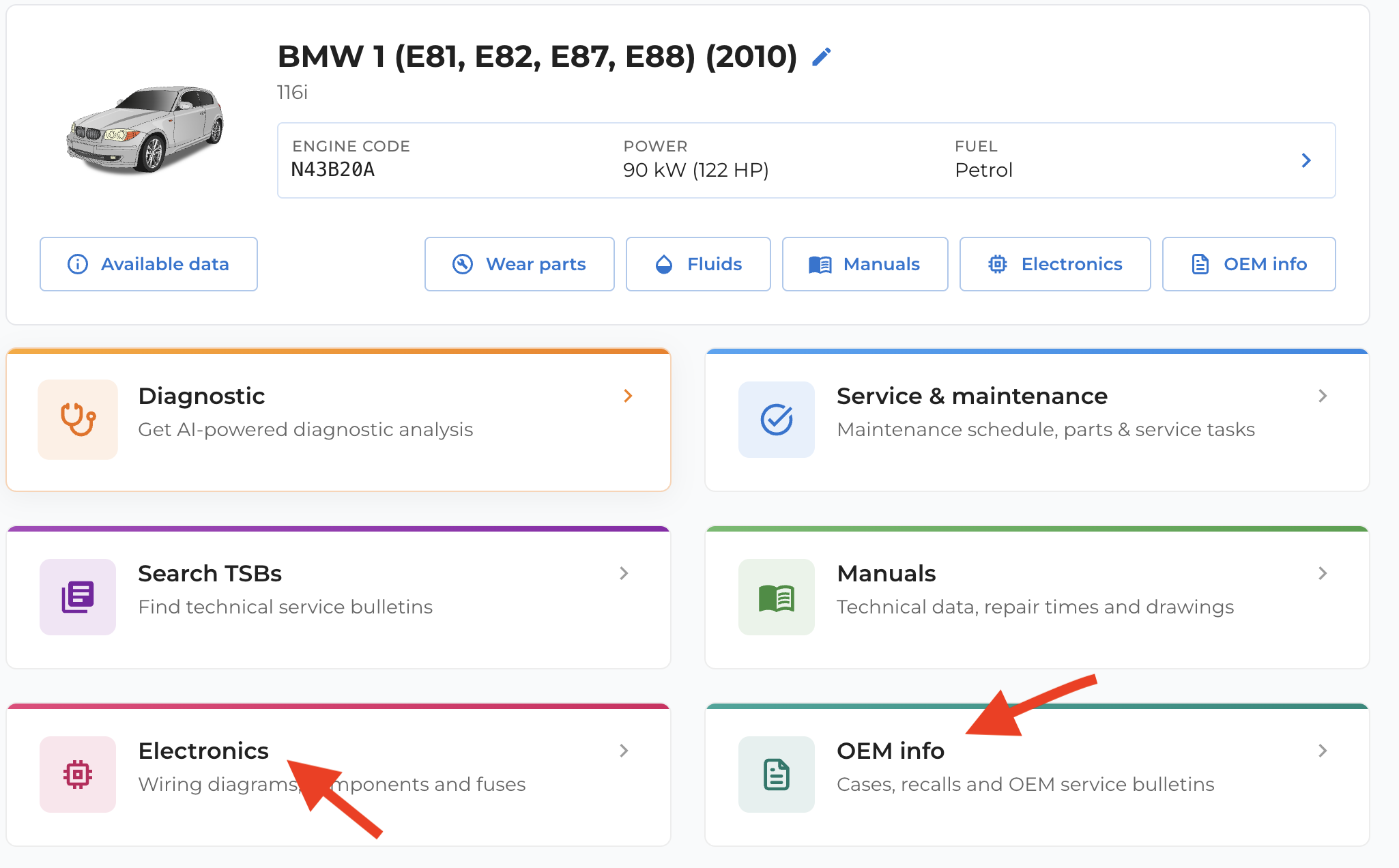
WrenchLane is adding more technical OEM data directly into the platform, including wiring diagrams for engine systems, interior systems, and other vehicle areas. The new Electronics section gives mechanics access to wiring diagrams, component locations, fuses, relays, and guided measurement support. Users can click on components to see what to measure, whether to use volts or ohms, what values to expect, and how to check wiring, connectors, grounds, and power supply. The expanded OEM Info section lets users search manufacturer information by free text, symptoms, internal fault codes, VIN, or diagnosis. Together, Electronics and OEM Info help mechanics find the right information faster, reduce guesswork, and keep diagnostics, service, and OEM data in one workflow.
-
 Product Updates
Faster workflows and smarter navigation for 17 languages
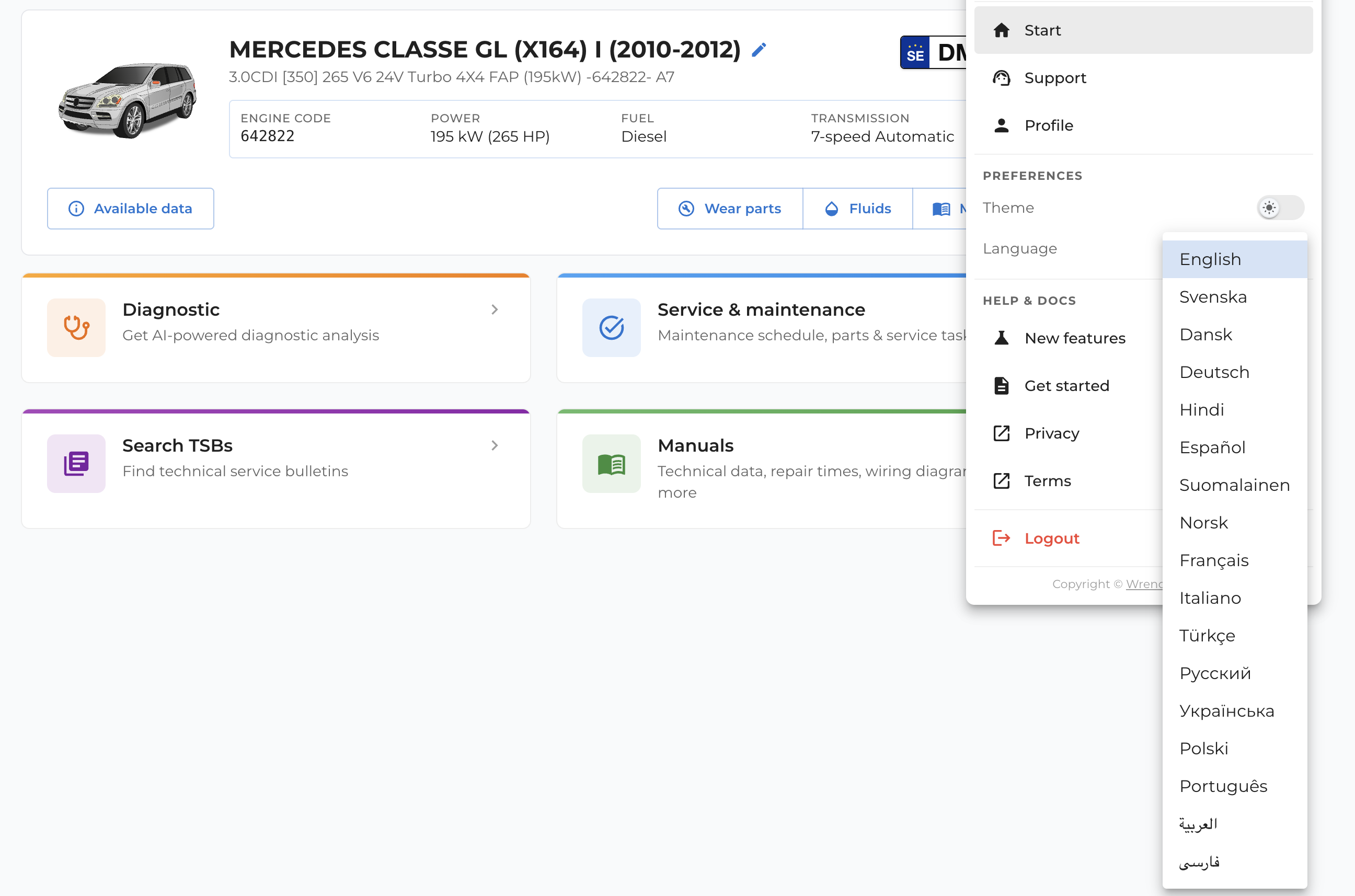
Streamlined Workflows: The WrenchLane version 3 XX update optimizes workshop efficiency and navigation with enhanced support across 17 languages. Unified Workspace: A new, centralized Start page replaces the old dashboard, allowing technicians to seamlessly manage multiple vehicles across separate browser tabs without workflow interference. Integrated OEM Data: The revamped "Manuals" section (formerly "Technical Data") deeply embeds critical OEM information and wiring diagrams directly into the active vehicle page. Global Accessibility: To accelerate technician onboarding and reduce diagnostic errors, an upgraded translation engine improves terminology consistency and adds native support for right-to-left languages. Usability Tweaks: Practical upgrades—including imperial mileage inputs for the US market and better mobile responsiveness—push WrenchLane closer to its ultimate vision of a unified, AI-powered repair platform.
-
 Product Updates
WrenchLane 3.0 - OEM Service & Maintenance, Repair, Wiring Diagrams, Technical specs
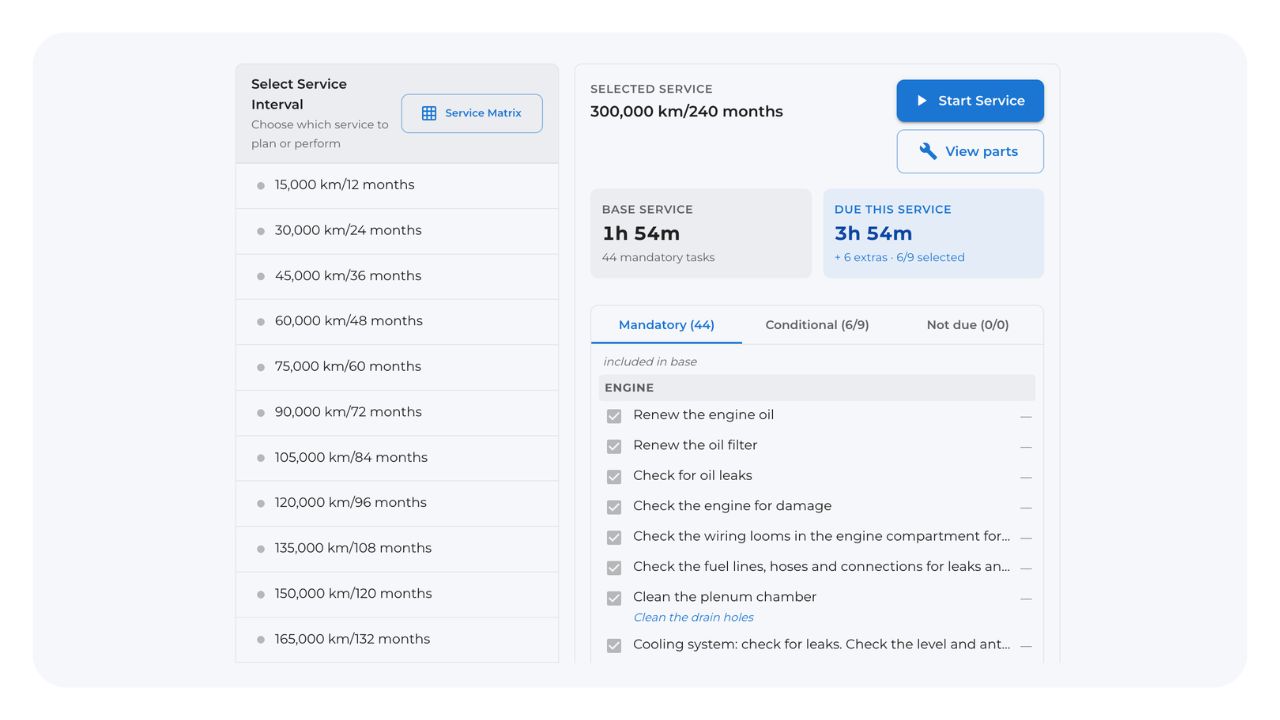
WrenchLane has launched a significant update integrating OEM data from Infopro Digital Automotive. Here is the quick breakdown: New Service Workflow: You can now plan and execute vehicle services according to OEM specs, featuring step-by-step guides for oil capacity, tightening torques, and required parts. Expanded Technical Data: The platform now includes technical drawings, repair manuals, and wiring diagrams. Pricing Update: These OEM features are free for all users until May 20th. After that, they will require a paid subscription (though diagnostics remain free). Coming Soon: Future updates will add specific workflows with OEM images and component placement data.
-
 Product Updates
WrenchLane expands OEM data offering with Europe’s top OEM data supplier Infopro Digital Automotive
WrenchLane is taking the next step in helping independent workshops work smarter with diagnostics, troubleshooting, servicing, and repairs across Europe. Through a new collaboration with Infopro Digital Automotive, the company which provides data products including brands such as HaynesPro, OATS, DriveRightData and more recently Eucon and GiPA, relevant OEM information will now be available directly within WrenchLane whenever it is needed for European vehicle technicians.
-
 Product Updates
iOS app launched and new invoice feature
WrenchLane just got a lot smoother by closing the gap between the repair and the bill. You can now generate a full invoice draft directly from a completed diagnostic, making it easy to log the fix, any extra repairs, and the parts used in one go. Even better, all these features are now available in the new iOS app on the App Store, with the Android version dropping in the next few days. It is all about spending less time on paperwork and more time actually in the shop.
-
 Product Updates
WrenchLane 2.1 makes diagnostics faster and easier to manage
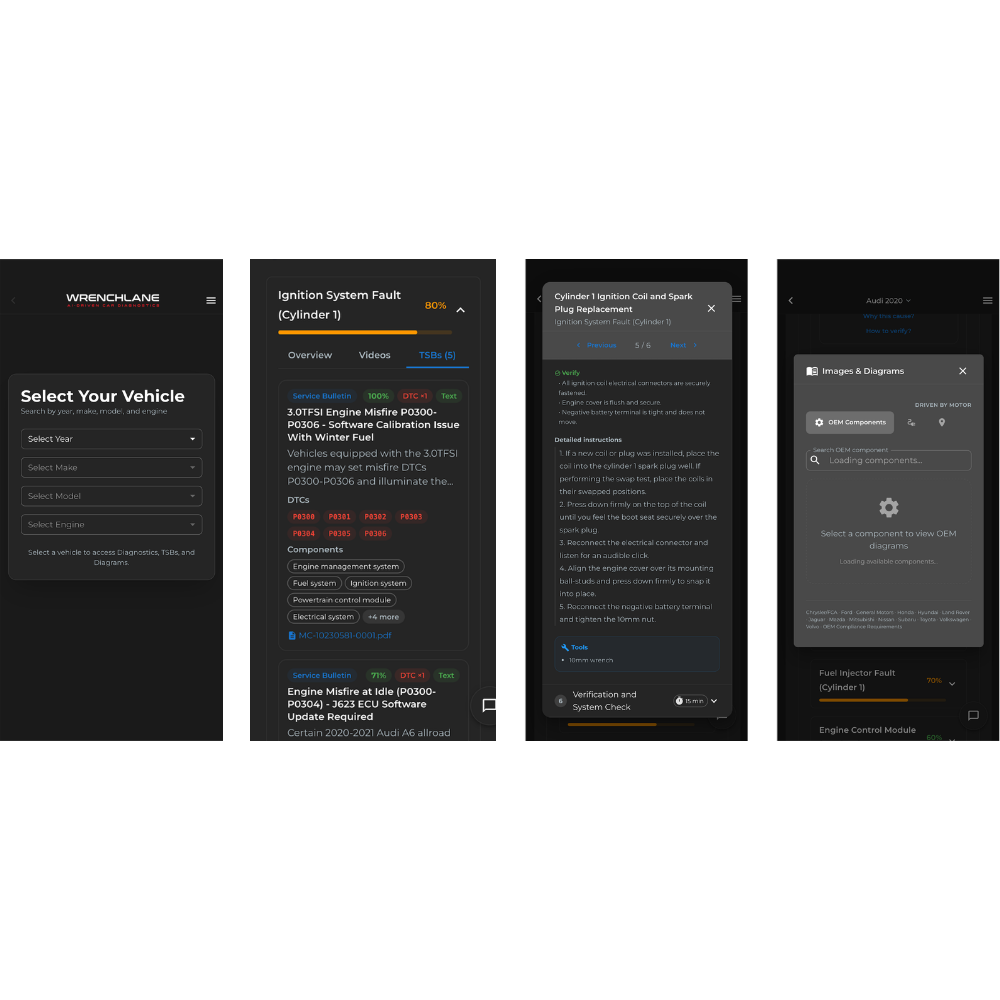
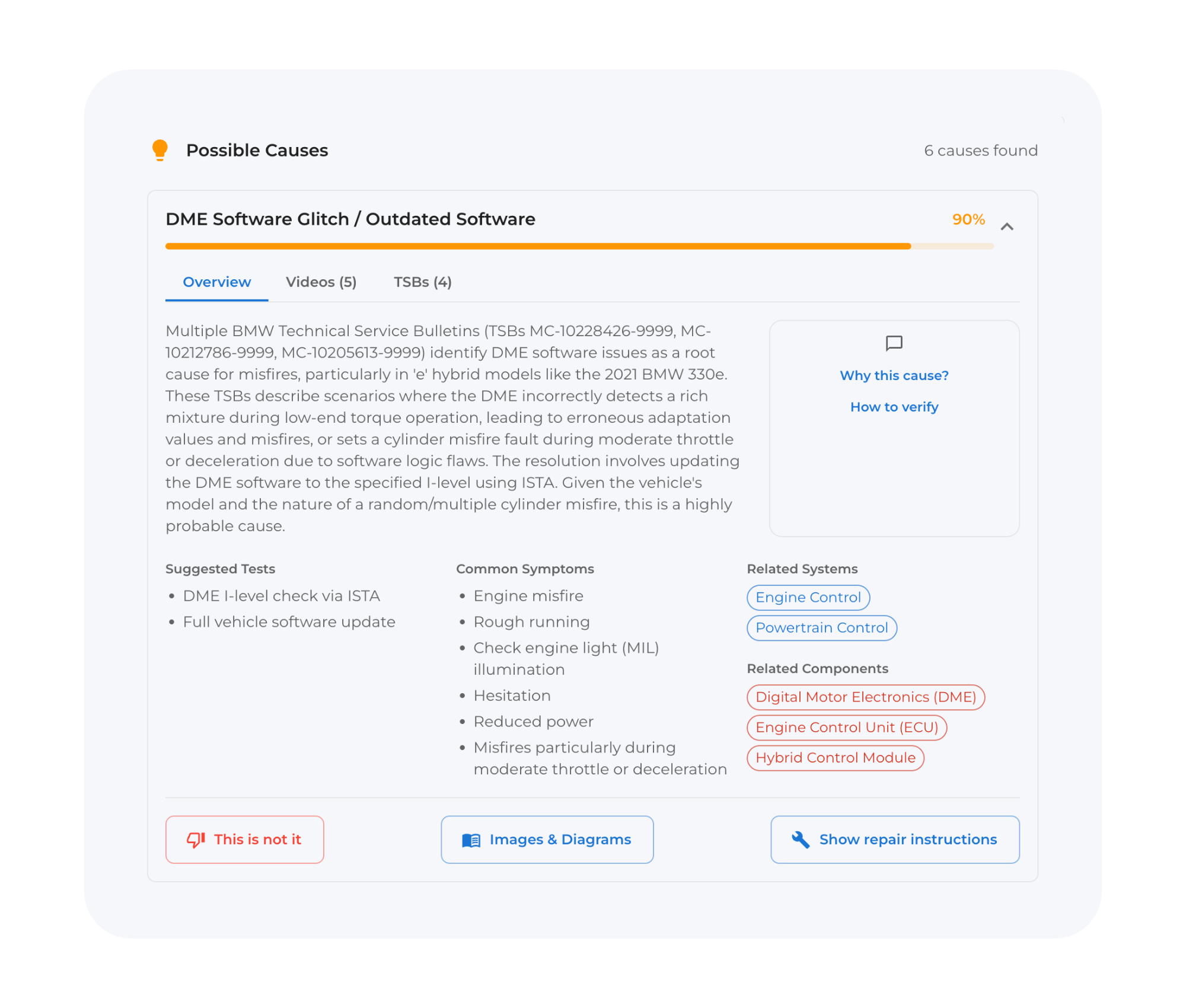
Results now start loading immediately with clearer answers, the upgraded Diagnostic chat improves interaction and understanding, the updated Garage keeps all searches and cases organized in one place, and US customers benefit from improved Images & Diagrams with faster search and navigation.
-
 Diagnostics
Better performance and easier to use - 2.0 is now live
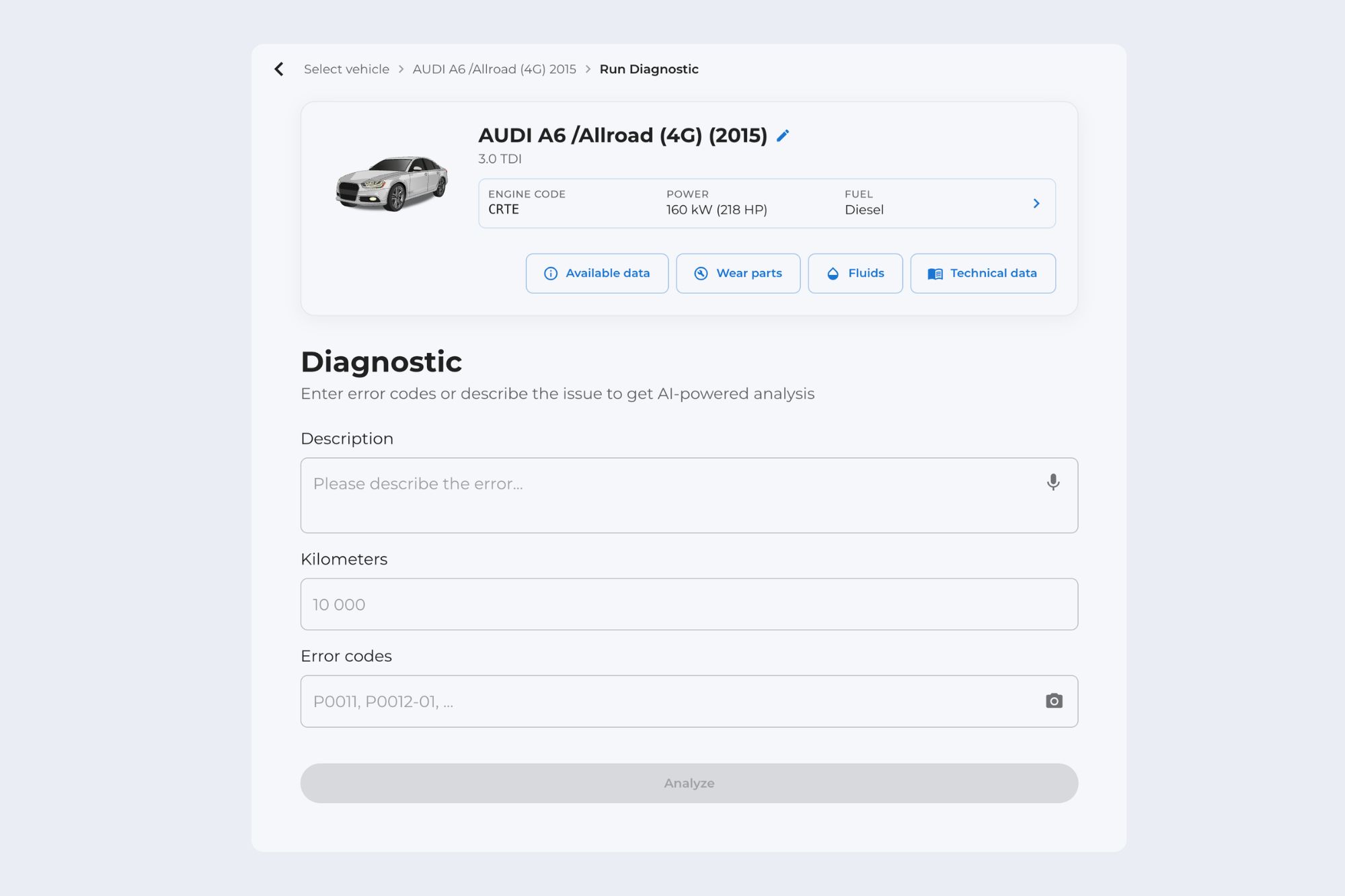
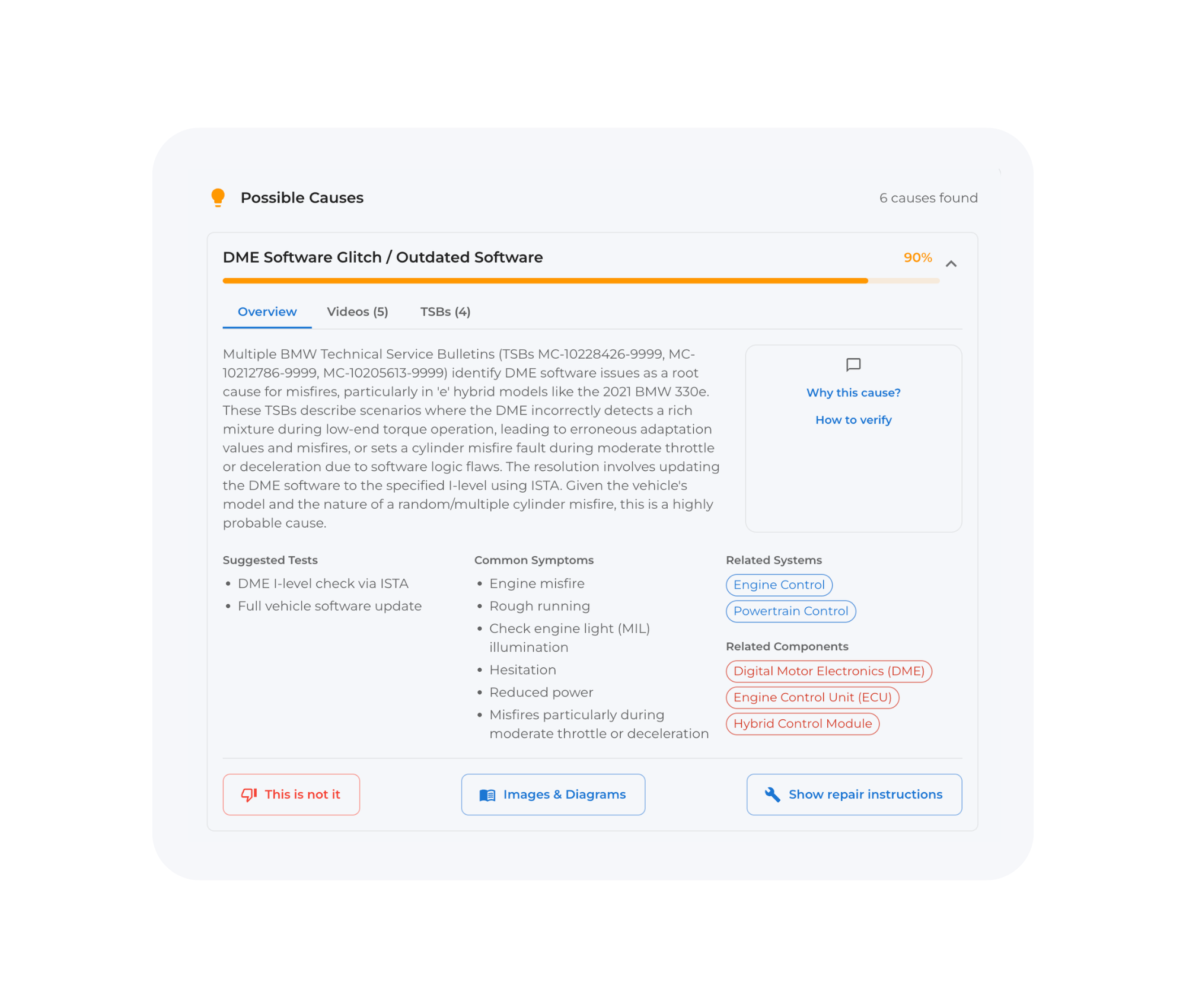
WrenchLane now launches a new diagnostic - rebuilt from the ground up with feedback from hundreds of independent workshops. The goal is simple: easier use, less time searching and troubleshooting, more time for fixing and billing.
-
 Product Updates
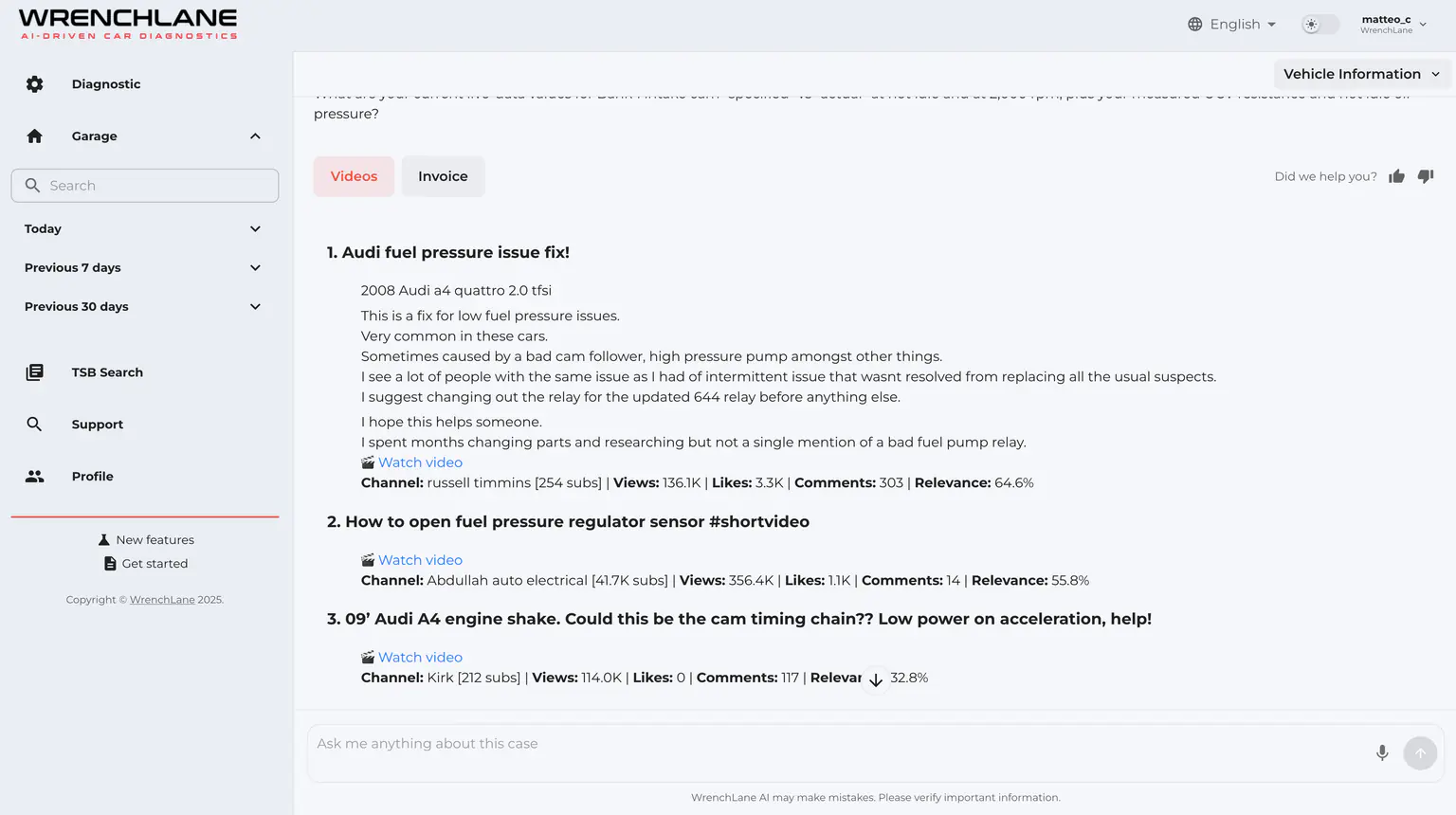
WrenchLane 1.4.6: More Videos & Photo Your DTC
WrenchLane 1.4.6 brings more relevant YouTube repair videos and adds OBD reader photo scanning that automatically imports fault codes.
-
 Product Updates
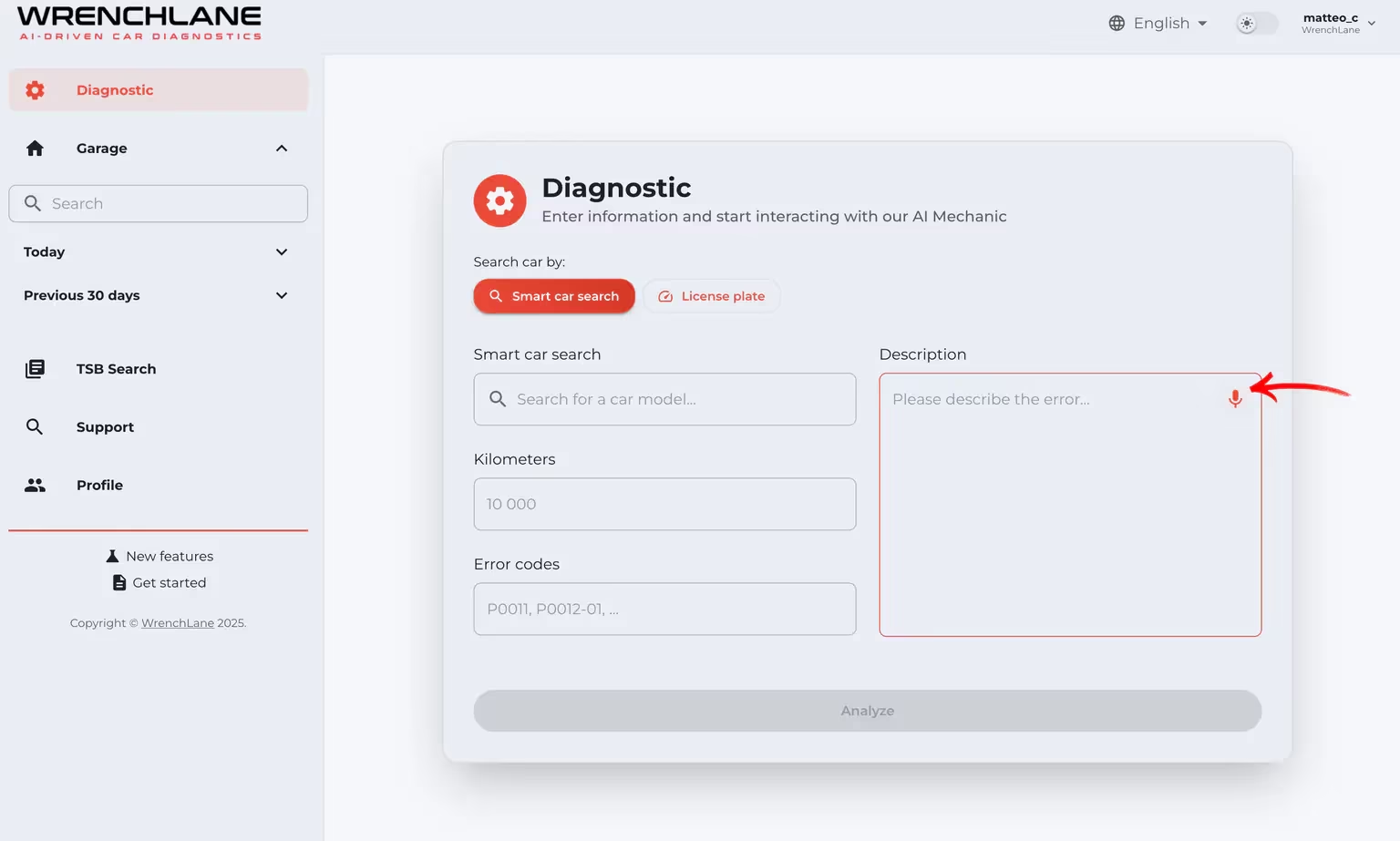
WrenchLane 1.4.5: Voice Input, Live Streaming & Faster Diagnostics
WrenchLane 1.4.5 introduces voice input, live streaming diagnostic results, and a faster diagnostic engine to improve daily workshop workflows.