One diagnostic and repair workflow for your whole workshop
Give every technician access to the same diagnostic intelligence, OEM data and guided repair workflows.
WrenchLane Large covers busy workshops, 200 premium vehicles a month and up to 11 users, each with their own login.
$249/month, billed today. Cancel anytime.
What you get
Built for workshop scale.
Large isn't Small with bigger numbers, it's the same workflow made consistent across every bay.
- 01
Every technician more productive.
Experienced techs search less. Newer techs follow a structured process instead of guesswork.
- 02
One workflow across the floor.
Diagnosis, verification, repair, labour times, history, the same steps on every job, in every bay.
- 03
More vehicles, no new systems.
200 premium vehicles a month, capacity for a full floor without adding another subscription.
- 04
Workshop knowledge that stays.
History stays connected to the vehicle and the workshop, not lost when a job closes or a tech moves on.
One job, whole team
Every job ends the same way: done and documented.
A diagnosis started at one bench can be verified, repaired and invoiced from another. Steps get checked off, times get logged, and the vehicle's history builds itself as the team works.
The workflow
From fault code to completed repair.
The same order your technicians already work in, now the same for all of them.
- 01
Diagnose.
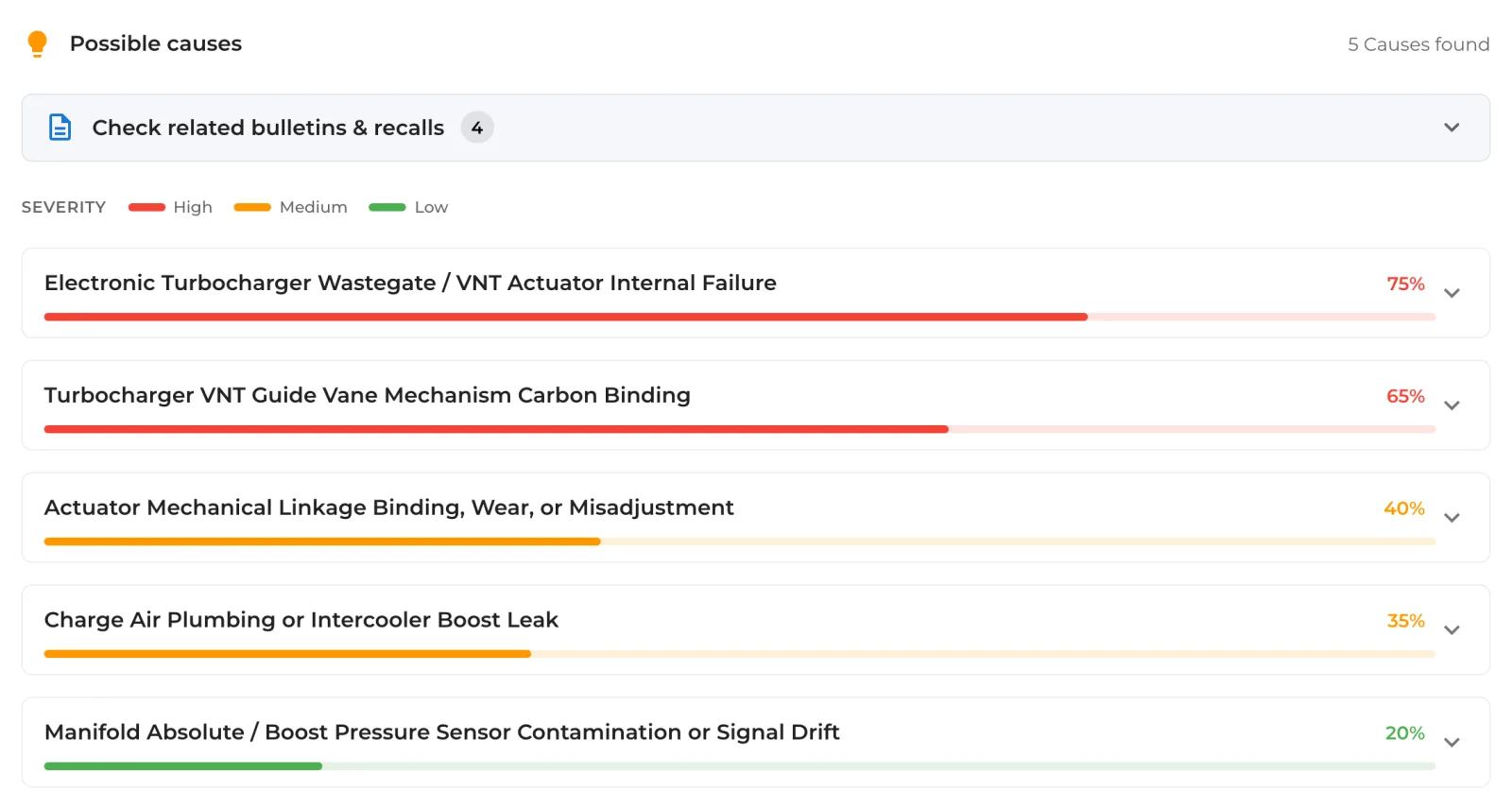
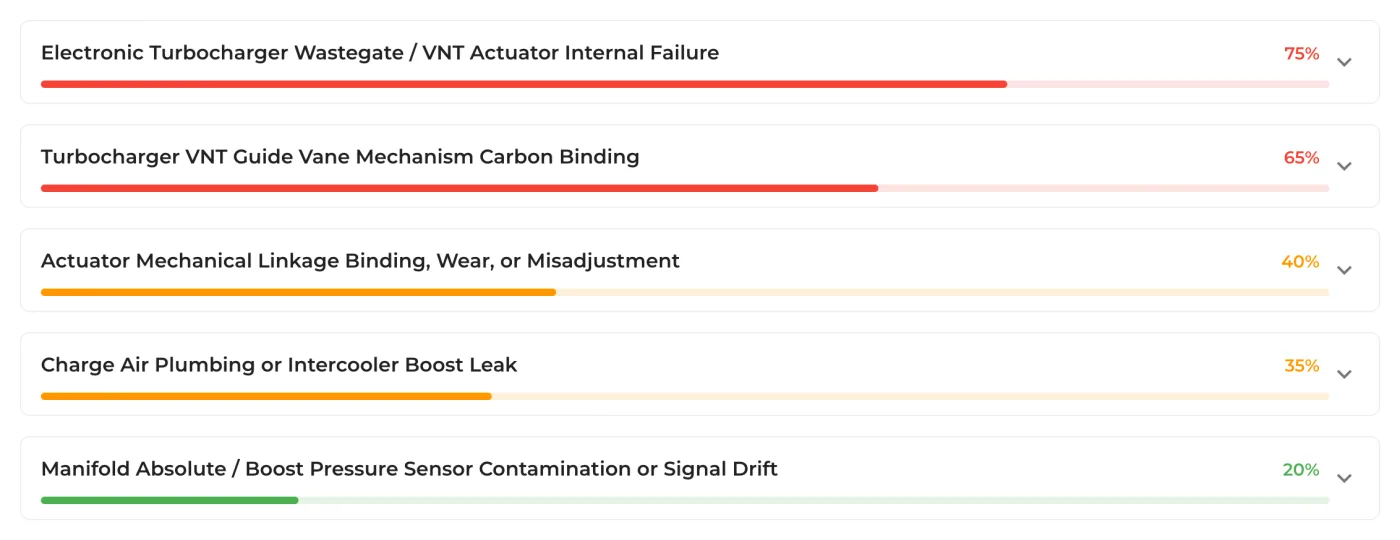
Enter fault codes and symptoms, typed, spoken or from a photo. WrenchLane returns ranked causes with likelihood and severity.
- 02
Verify.
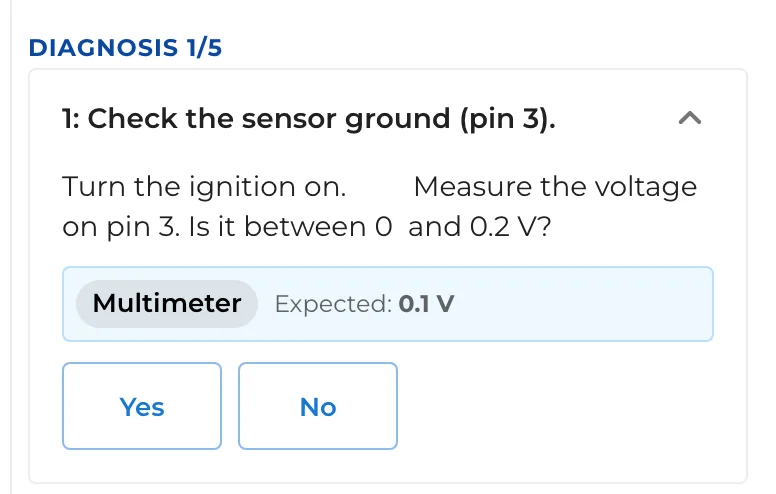
Check the suspect component with guided measurements, pin values and the wiring diagram for that exact vehicle.
- 03
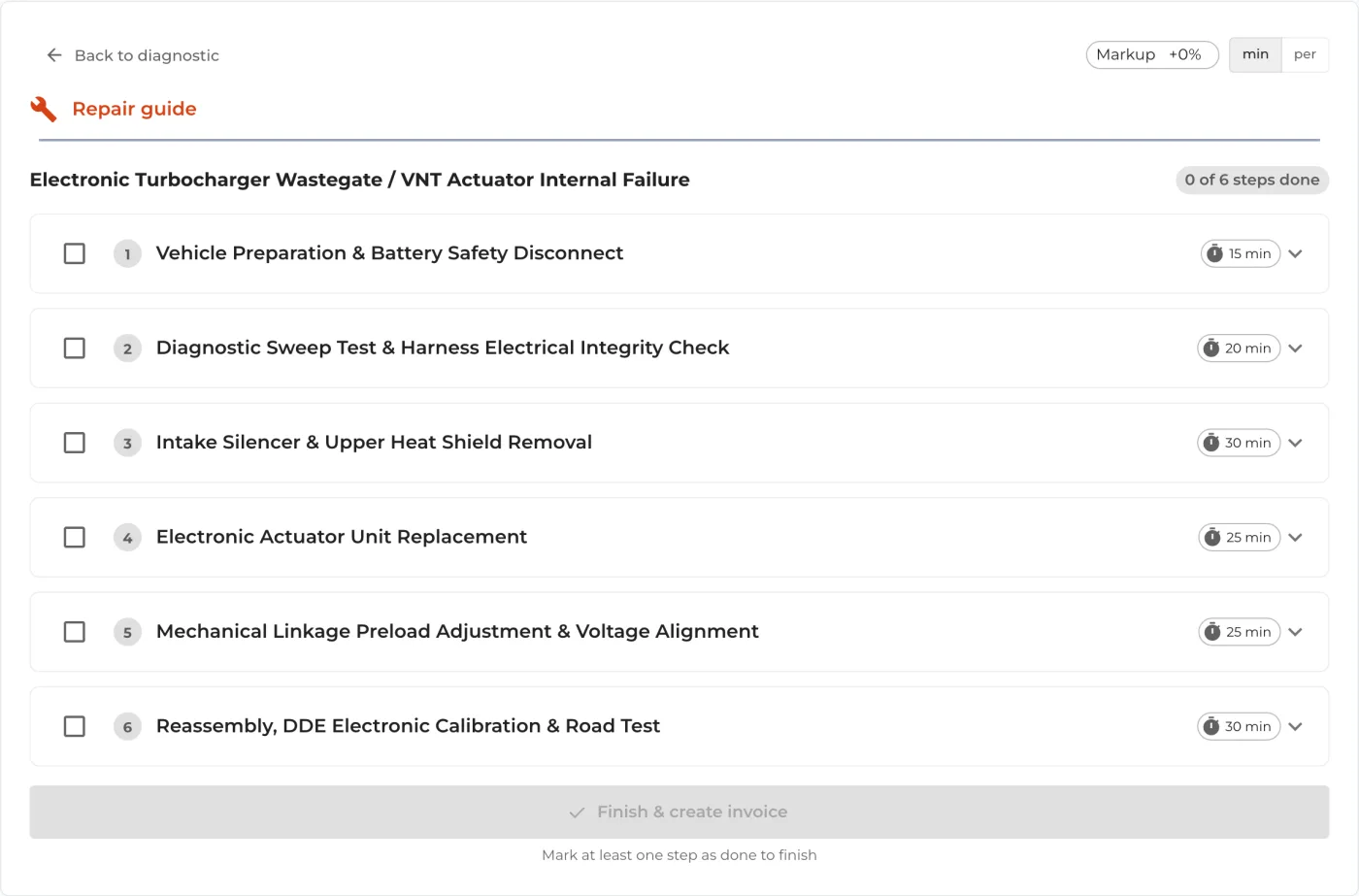
Repair.
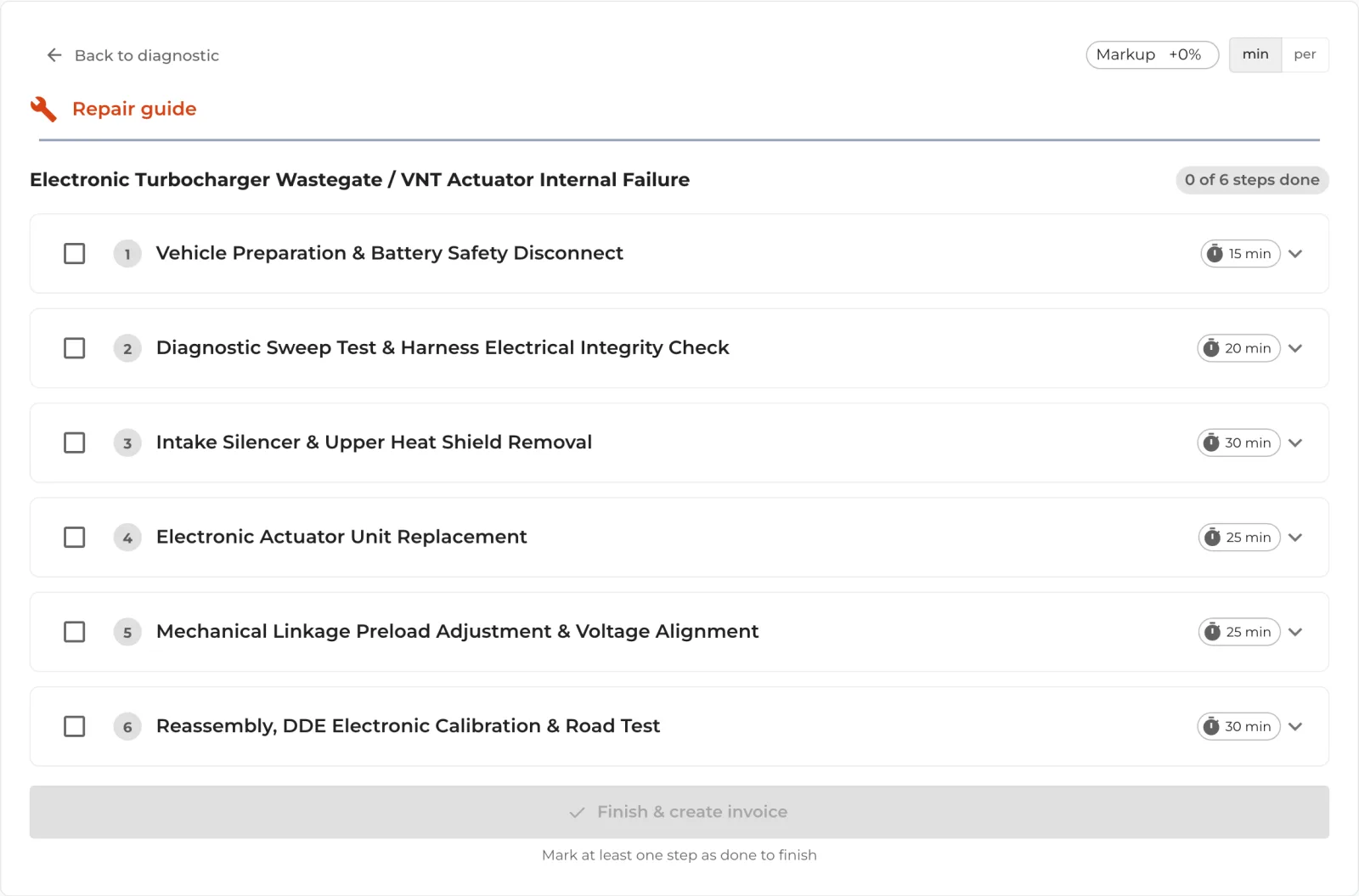
Confirm the cause and follow OEM repair instructions step by step, with a time estimate for every step.
- 04
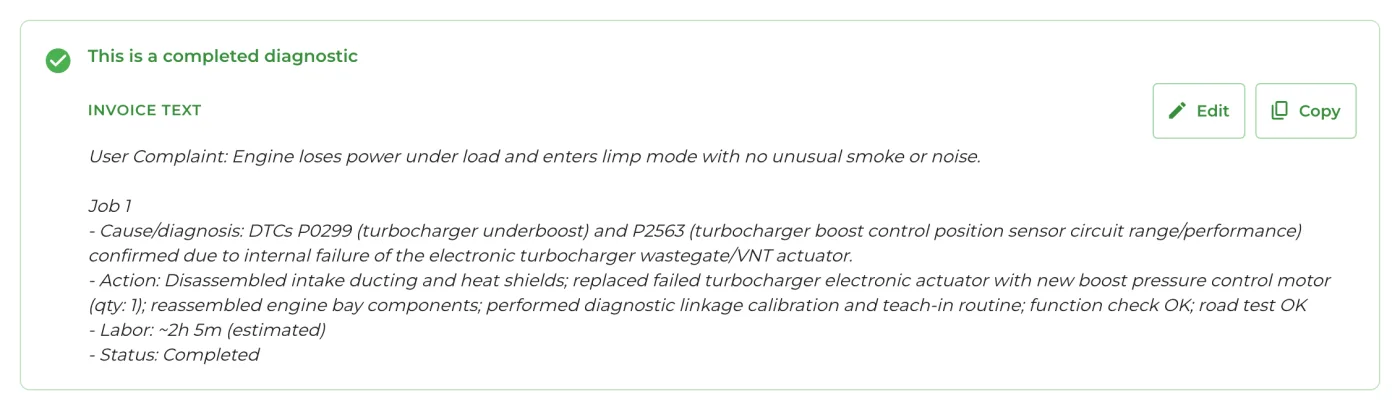
Build the job.
Add parts, fluids and OEM labour times as you work, then finish the job as a report or invoice.
- 05
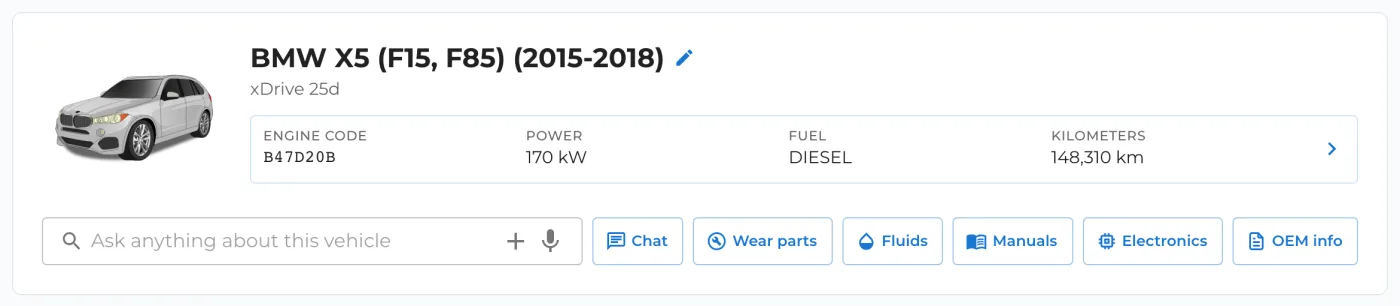
Save the vehicle.
Diagnosis, repair and history stay on the car, the next visit starts where the last one ended.
Coverage
OEM-grade depth on every job.
Large unlocks premium data for 200 vehicles a month, and keeps diagnostics, chat and AI search unlimited on every car that rolls in.
- OEM wiring diagrams and technical drawings
- Adjustments, torques, clearances, capacities
- OEM repair times
- Wear parts intervals
- Fluids and lubricants
- Service and maintenance schedules
- Verified measurements
- Full garage history, every fix, every reading
- Unlimited diagnostics, AI search and Ask WrenchLane
“WrenchLane makes us think in new ways when trying to solve difficult problems.”
Which plan
The right size for the floor you run.
1-2 mechanics? Small covers it with 50 premium vehicles a month. A group of workshops or several sites? Talk to us and we'll size it together. Switching keeps every vehicle and its history.
Pricing
$249/month. The whole workshop works.
Or $183/month billed yearly ($2,199/year, save 26%). Multiple users across the workshop, premium data for 200 vehicles a month, verified measurements, unlimited AI search and Ask WrenchLane, priority support. Billed from day one.
FAQ
Questions worth answering before you start.
What is the difference between Small and Large?
They have the same features and both allow up to 11 users. The only difference is premium data: 50 vehicles a month on Small, 200 on Large.
How many users can my workshop have?
Free and One have 1 user. Small and Large have up to 11 users each.
What is the difference between Admin and Mechanic?
Both use diagnostics and all vehicle data. Only admins see Plan & billing and Team, open the pricing page and change the plan; mechanics who try are asked to contact their administrator.
Who in my workshop can see my diagnostics?
Only you. Each mechanic's diagnostics and history are saved to their own login, so colleagues in the same workshop do not see your diagnostics, History or service reports, and only the user who created a diagnosis can complete it.
Where does the technical data come from?
In European countries the technical data is InfoPro data from Infopro Digital Automotive. In the US, Canada and Mexico, Images & diagrams come from MOTOR.
What equipment do I need?
A computer, tablet or phone with an internet connection, in the browser or in the WrenchLane app. You keep your own OBD reader: type the codes, say them, or take a photo of the reader's screen.
Ready to diagnose smarter?
Get started with Large, one workflow for the whole workshop.