A 2020 SKODA Kamiq arrived with a blank multimedia screen and a cluster of communication fault codes, including U105400 and B104914. The technician pulled the codes and noted the display was completely unresponsive.
Decoding the network faults
The presence of U105400, U006500, U140600, and B104914 points to a wider network issue on CAN Bus E rather than just a failed display panel. Our platform analyzed this specific combination and ranked an internal electrical failure of the Online Control Unit (OCU, or J949 Emergency Call Module) as the most likely cause at 45 percent. The OCU interfaces directly with the Infotainment CAN and the MIB3 Information Electronics Control Module 1 (J794). When the J949 experiences a transceiver breakdown, it disrupts communication across the bus, triggers U006500, and fails to pass initialization handshakes to J794. This leaves the multimedia display completely unpowered. Furthermore, the crashed module prevents network sleep, causing the static current draw that triggers U140600.
Hardware failure in the MIB3 unit
If the OCU is functioning correctly, the next most probable fault is an internal hardware failure within the Information Electronics Control Module 1 itself, ranked at 30 percent. A failed internal DC power supply rail, solder micro-cracks under the processing chips, or a defective internal CAN transceiver will prevent the module from turning on the display driver. The gateway logs U105400 because of the missing message, while an internal latch-up draws static current while the car is parked.
Physical wiring and firmware lockups
Physical wiring faults on CAN Bus E, ranked at 20 percent, can also mimic a failed module. A common issue is the grey 12-pin secondary lock sliding loose inside the Quadlock connector housing, preventing message transmission. Without wake-up synchronization, the J794 fails to turn on the screen. Additionally, early MIB3 and OCU software releases on 2019 to 2021 MQB-A0 vehicles are prone to firmware lockups, ranked at 15 percent. Incomplete telematics updates can cause the microcontrollers to hang, keeping the screen black and setting B104914.
What to check first
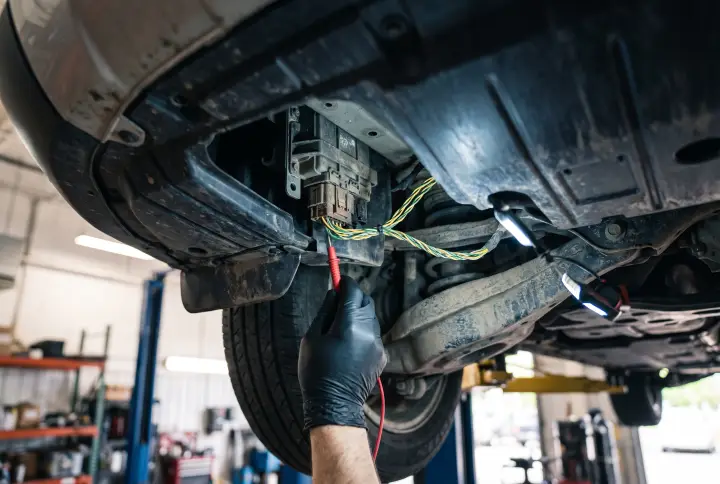
Start by isolating the OCU. Perform a bus isolation test by disconnecting the J949 multi-pin harness connector, and measure the quiescent current draw before and after removing the J949 fuse. Check the internal backup battery condition and voltage via live diagnostic data. If the OCU checks out, inspect the J794 Quadlock connector, paying special attention to the grey 12-pin insert to ensure the secondary lock is fully seated before condemning the hardware.