
Book a demo
See how WrenchLane's AI-powered diagnostics work in your shop
Inside
What happens during your demo
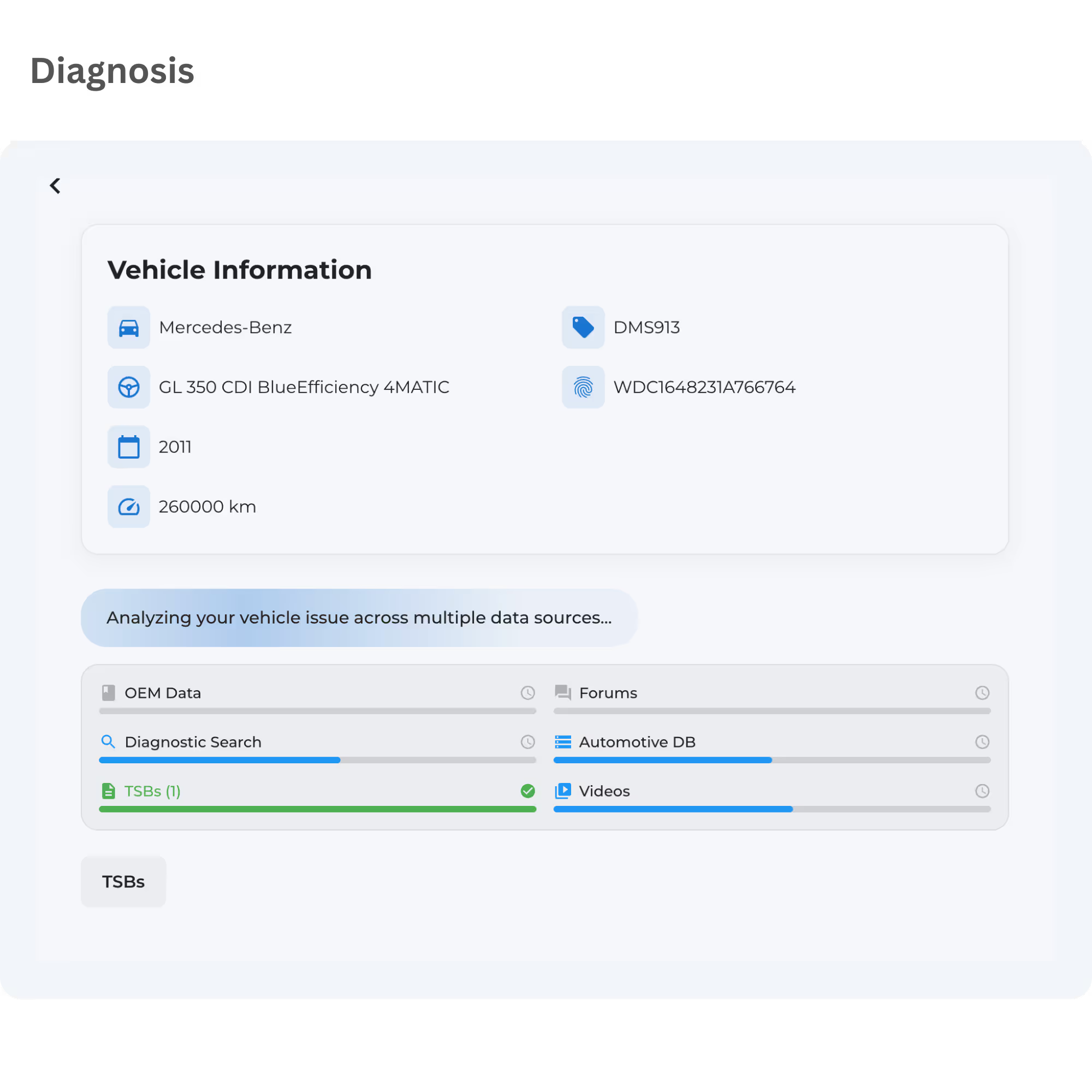
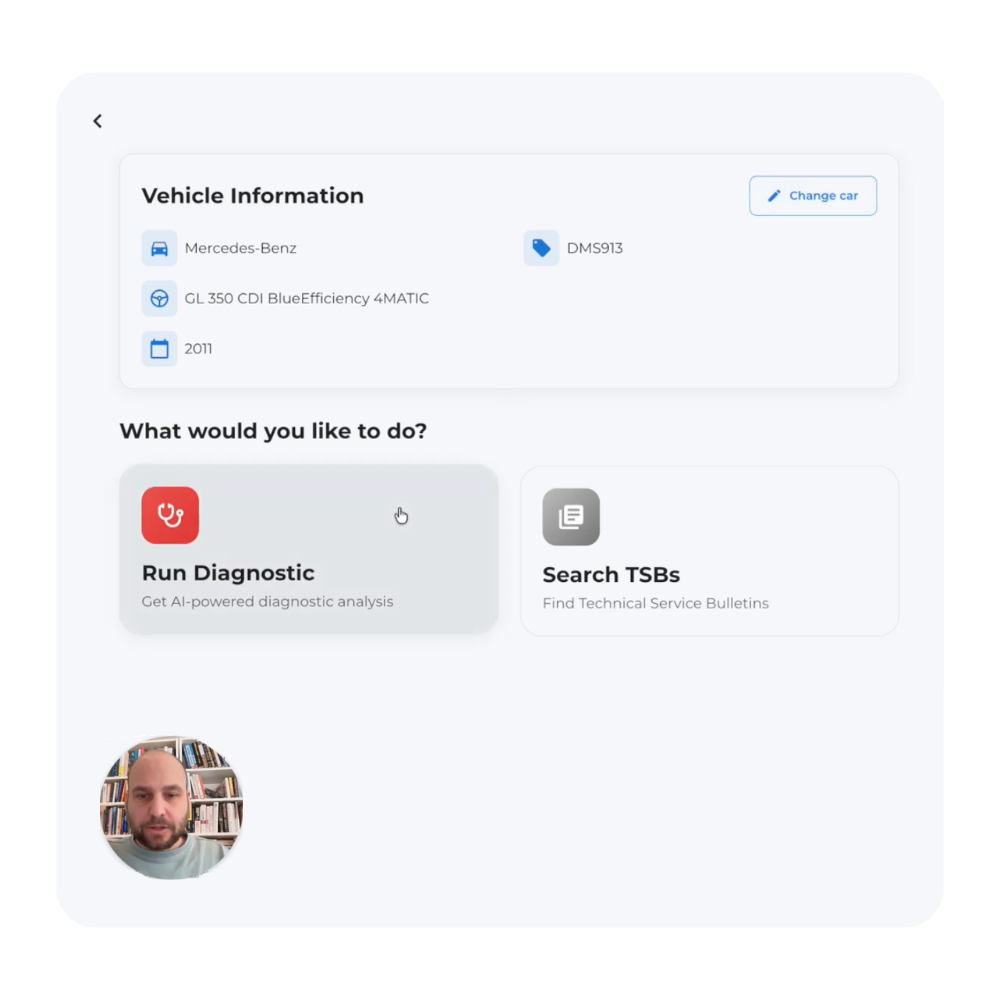
We'll walk through WrenchLane's interface and show you exactly how it analyzes fault codes in real time. Bring a recent diagnostic challenge from your shop and we'll use it as a live example.
Live walkthrough of WrenchLane's platform
See real diagnostic workflows in action
Ask questions with a product specialist
Features
A quick video demo of how it works
WrenchLane seamlessly integrates fault codes, symptoms, and actual repair outcomes. While other tools provide a list, we offer a comprehensive path.
Schedule
Request demo
Tell us about your shop and we'll show you how WrenchLane works
Phone
+46 (0) 709 105 182Hours
Available Monday to Friday, 09:00 to 17:00 CET
Questions
Everything you need to know about booking a demo with WrenchLane
Still have questions?
Reach out anytime
How long is the demo?
Can I invite my team?
What will I see during the demo?
Can I see a demo before I sign up?
Yes. On wrenchlane.com you can book a demo and bring a recent diagnostic challenge from your shop, which is used as a live example, or email hello@wrenchlane.com. The WrenchLane YouTube channel also has a short video for every release from 3.1 to 3.10.
Learn more: Book a demo / Contact / Support, WrenchLane YouTube channel (demos, release videos, fault-code shortlists)
Can I try a diagnosis on a sample case first?
Yes, in European countries. The Run a diagnostic task plays a ready-made case on the demo 2015 BMW X5: rough idle at cold start, loss of power and a check-engine light with codes P0300, P0171 and P0128. WrenchLane fills in the form, runs the analysis and walks you through the results.
Learn more: Your first case (diagnostic case study on the demo vehicle)
How do I sign up?
Open app.wrenchlane.com, click Sign up and fill in an account name (your workshop or your own name), country, email and password. Accept the terms, click Sign up for free and enter the code we email you. You are signed in and your workshop starts on the Free plan.
Learn more: Sign up for free
Do I need a credit card to start?
No. Every new workshop starts on the Free plan without a card. You only add a card when you buy a paid plan.
Learn more: Free (limited), Sign up for free
Ready to start diagnosing now?
Don't want to wait for a demo? Start on the WrenchLane Free plan today — full diagnostics, no card, no time limit.
No credit card. No time limit.