Vad är nytt — och varför det spelar roll
**Vi byggde en ny diagnostiksida med klickbara steg
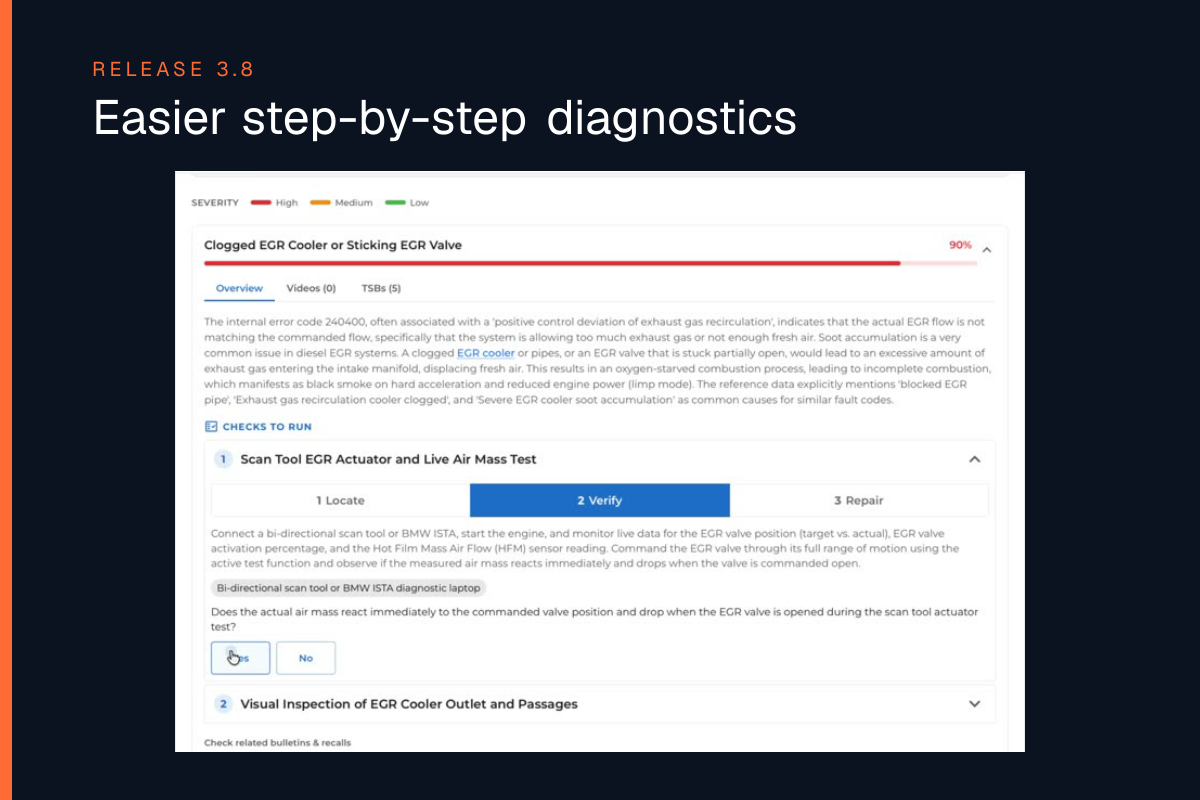
**Det är lättare att använda med fördefinierade klick, chatt är också tillgängligt men mer strukturerat. Med Diagnos 2.0 du får ett tydligt steg-för-steg-arbetsflöde som du kan följa i viken - smarta beslut, minskad tid på diagnostik och reparation.
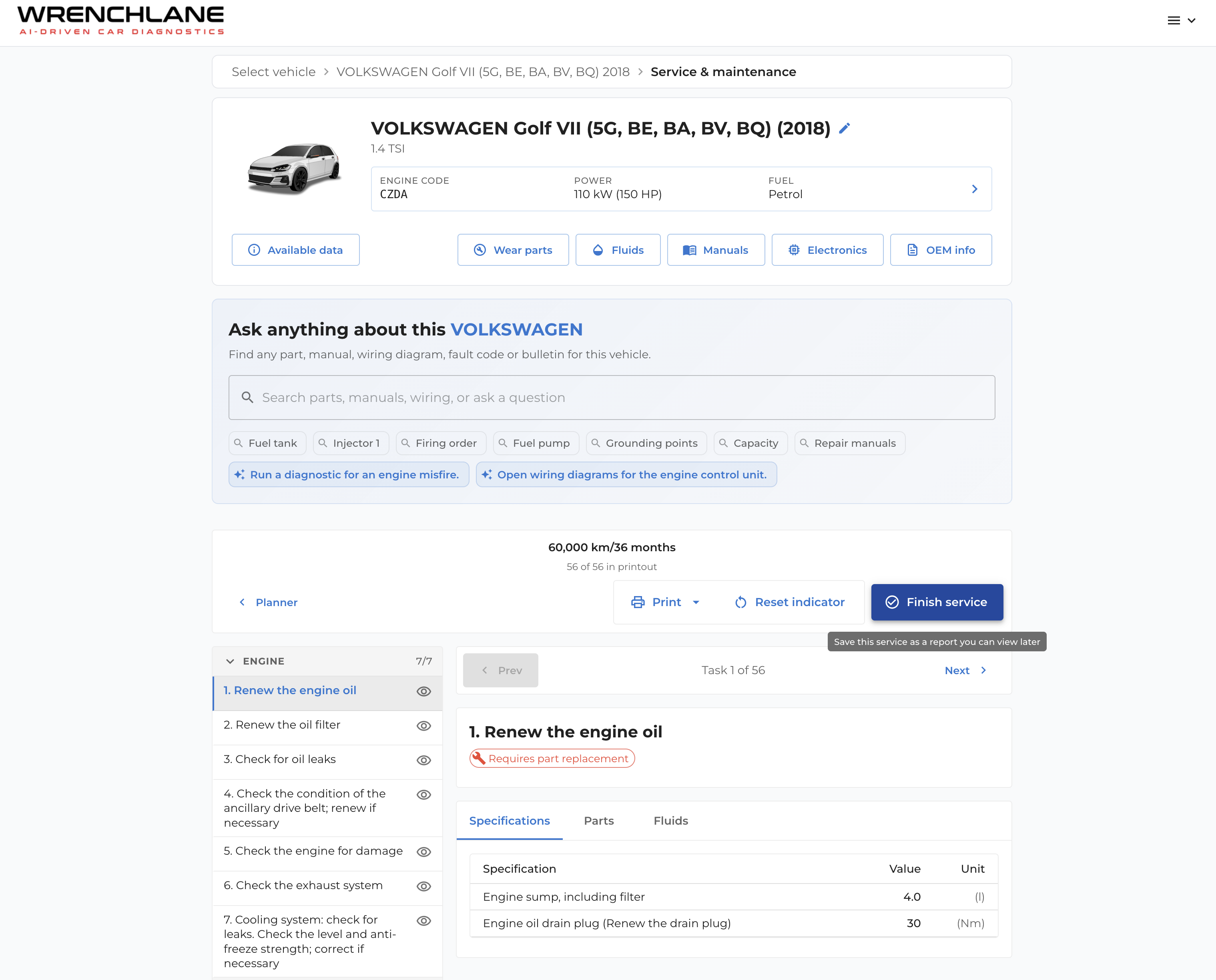
1) Bil-först
- Välj fordon eller ange registreringsskylt (välj marknader)
2) Hur använder jag den nya diagnostiken?
Diagnostic 2.0 är standardupplevelsen. Om du föredrar den gamla stilen för tillfället kan du tillfälligt växla tillbaka med knappen till höger i appen.
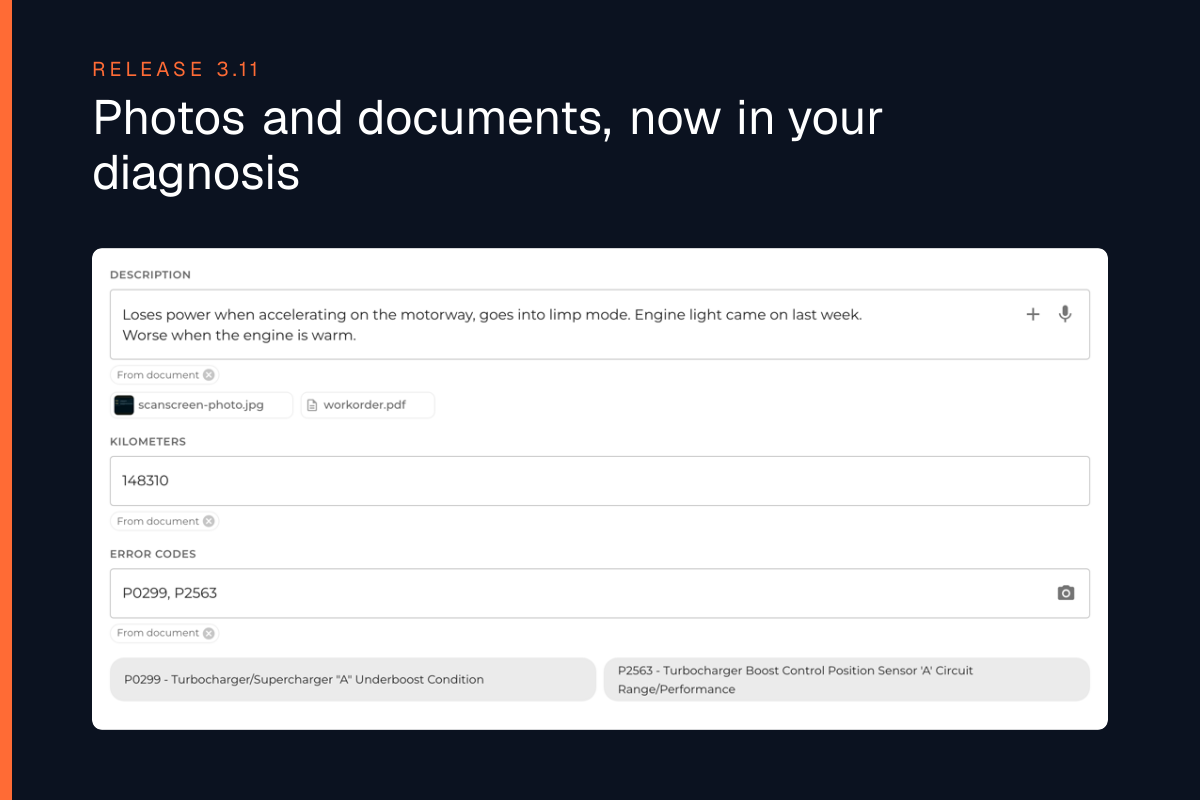
- Fotografera din OBD-läsartext eller skriv in DTC manuellt
- Lägga till symtom via röst eller text
- WrenchLane guidar dig sedan med smart diagnostik och reparation
**
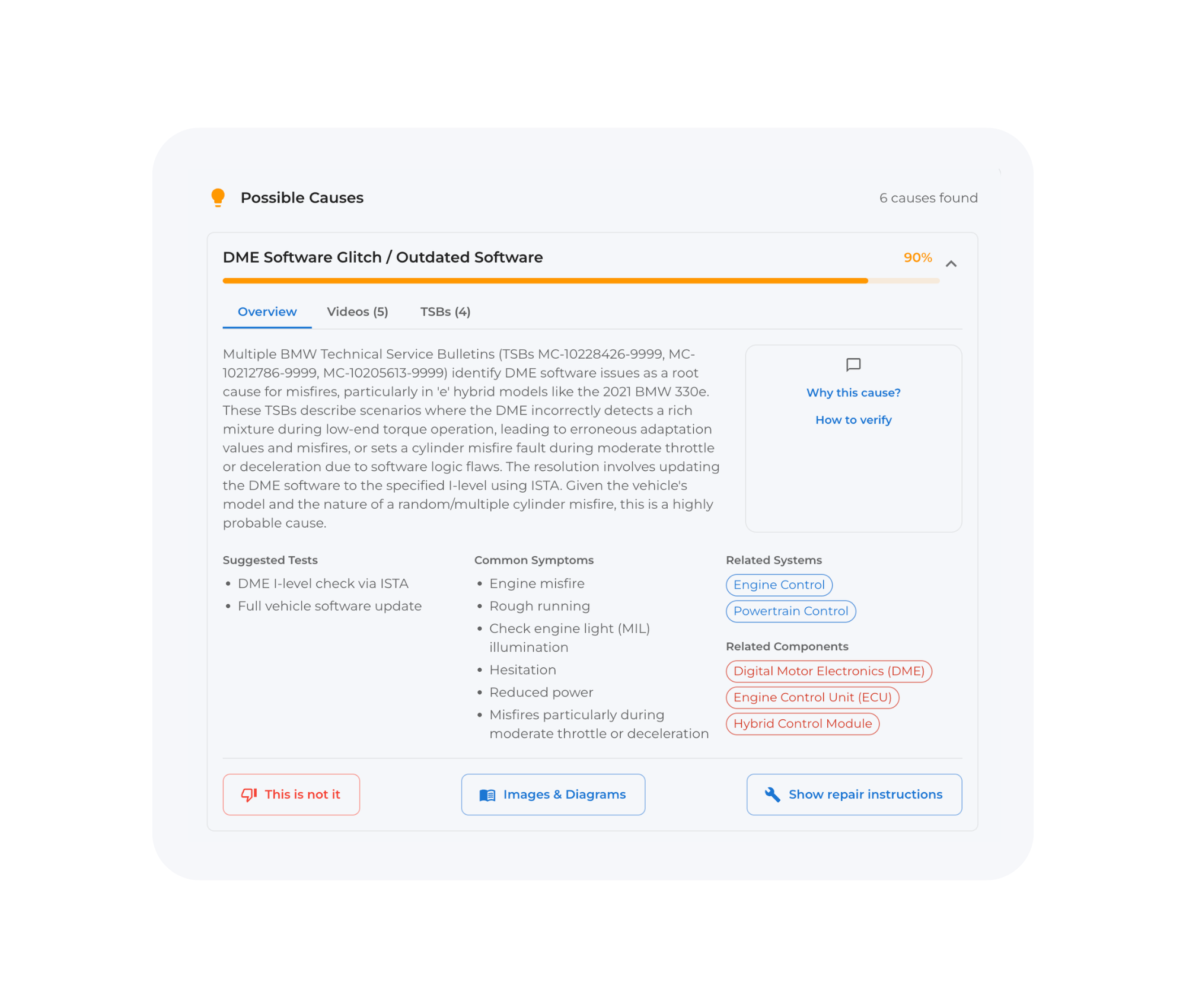
3) Mest trolig orsak
**Istället för en lång lista med teoretiska möjligheter får du nu en rankad ”mest trolig orsak” för varje fel. Öppna varje orsak och utforska. Om du vill öppna chatten - klicka på ”Hur man verifierar” eller klicka på ”Reparationsinstruktion” för att få reparationer i steg.
**4) Verifierings-första vägledning
**Du får de minsta kontroller som behövs för att bekräfta hypotesen. Det betyder mindre bortkastad tid på att söka efter information och göra fel svängar.
**5) Smartare rekommendationer som tar hänsyn till tid, kostnad och komplexitet
**Vi hjälper dig att välja den snabbaste vägen till upplösning baserat på verkstadsverkligheten. Våra instruktioner tar hänsyn till pris och tid när vi föreslår nästa steg.
**6) Guidade reparationssteg när du är redo att fixa bilen
**Arbetsflödet fortsätter från diagnos till reparation, så jobbet stannar inte när det är dags att agera. Guidade licensierade OEM-reparationsinstruktioner finns tillgängliga i vissa planer och marknader